
Usage management
Mitigate AI consumption through preview mechanisms, timeout checks, model selection, and allow to control usage with budget allocation
Key characteristics
Reduces wasted spend with previews, approvals, checkpoints and control over auto-runs
Balances cost vs capability with model/workflow choice, and makes price differences clear
Supports team budgets with per-account limits, alerts, and admin allocation
About
Usage management helps users and teams control AI spend by reducing waste and keeping resource use predictable. It includes things like preview-before-commit, confirmations after long runs, and generation options that trade quality or speed for lower cost.
In team setups, it also covers budget controls, so managers can allocate spend across accounts and set limits for automatic generations.
How users can take control of their usage
1. Ways to mitigate usage
Enable to confirm the AI is on the right track
Confirming AI understands user intent matters most with long or batched AI tasks, where cost of misunderstood instructions is multiplied.
Two common approaches work well: preview a small sample before running everything, or have the AI propose an action plan and wait for approval.
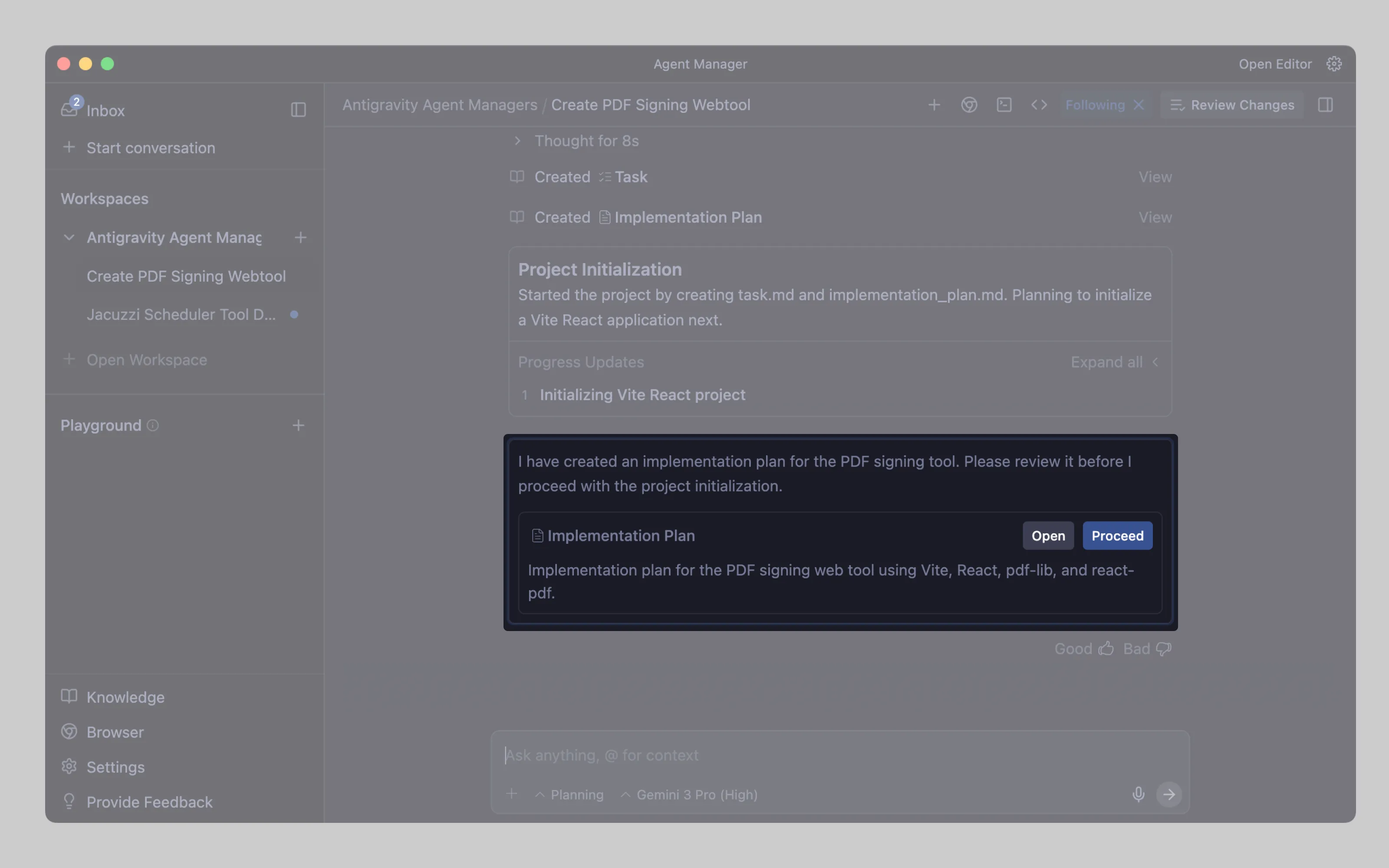
Antigravity does the plan-first approach. The agent writes an implementation plan, pauses, asks the user to review the file and comment on the changes, then continues only after approval.
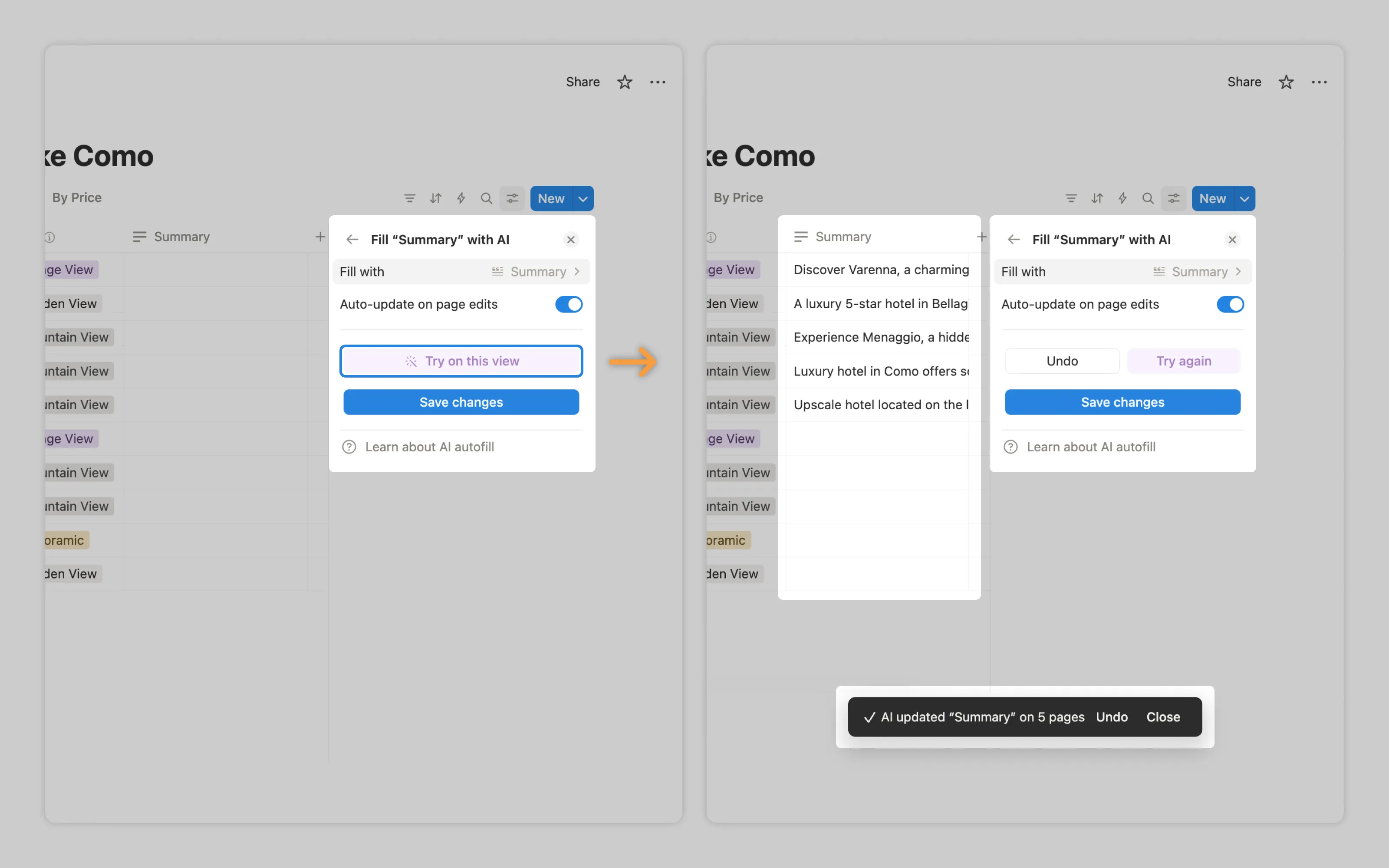
Notion AI supports sampling with “Try on this view,” which previews output on the first five records.
Pause and ask whether to continue
Like people, AI can hit dead ends or loop while trying to fix a problem. One blocked workflow can burn all allocated resources, so build in safety nets.
After a time limit or a cost threshold, stop the run, show what it has done so far, and let the user choose to stop or proceed.
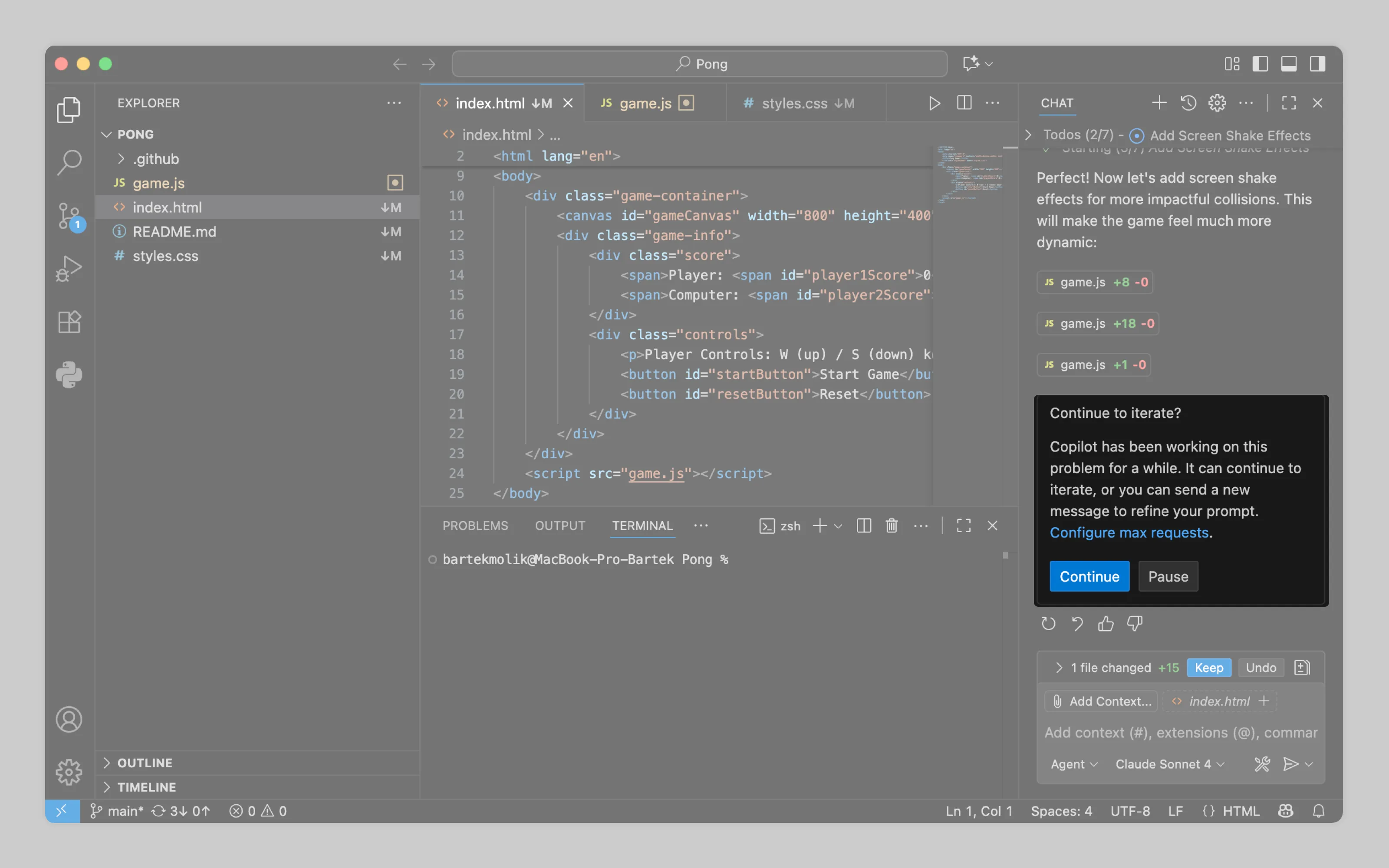
VSCode Copilot does this by prompting the user to continue after it has been generating for a while.
Allow to manage automatic generations
If AI runs on triggers instead of a direct user request (see Processing management), users need a way to turn it off or change what triggers it.
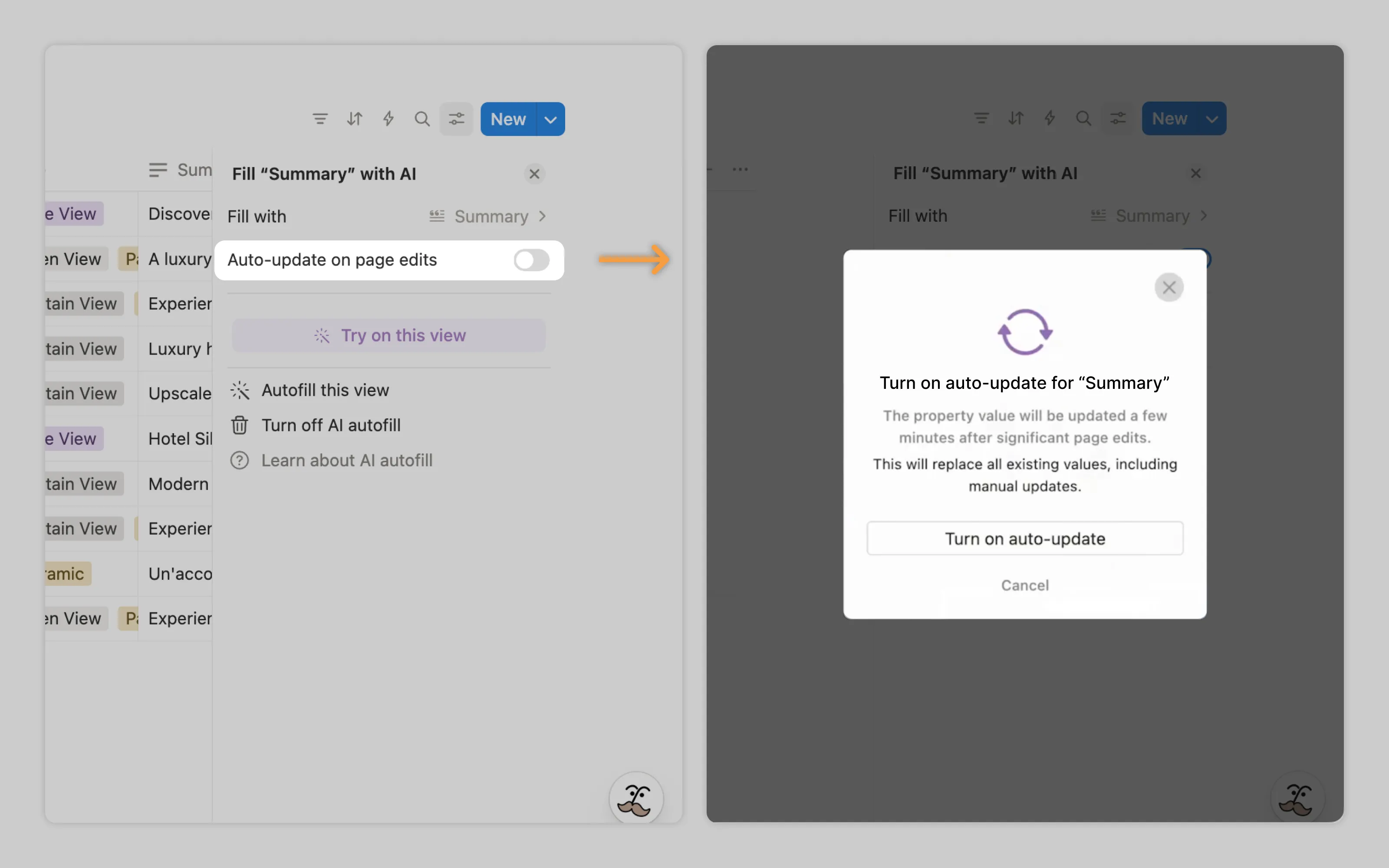
Notion AI does this by letting users toggle automatic updates for autofill on and off.
Offer cheaper models and lighter workflows
Smaller models cost less, and that’s often enough for quick, low-risk tasks. Heavier models are better for complex work, but they’re more expensive. Ideally, the product picks the cheaper option by default so users don’t have to think about it. In pro settings, users should be able to choose the model when it matters. See model selection.
Either way, make the price difference obvious. Users should know what they’re spending before they run it.
2. Ways to manage usage
Most products manage AI usage through credits or a budget tied to a subscription plan. When users run out, they typically have three options:
Wait for credits to reset
Buy more credits
Ask a manager to increase their allowance
In teams, spend needs central control. Provide an admin space where managers can allocate budgets per account and keep costs predictable across the org.
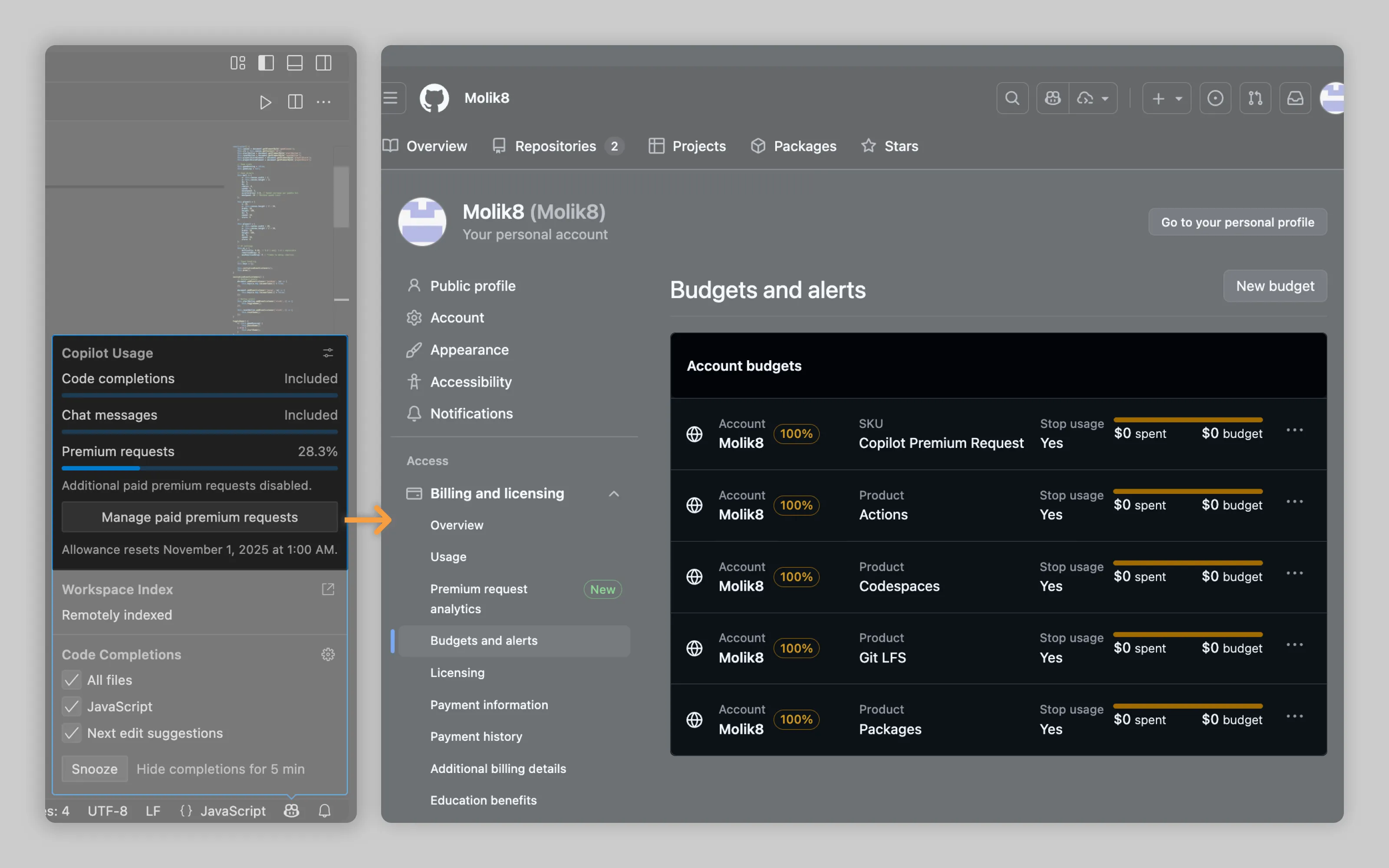
GitHub supports this with alerts panel and budgeting functionality that lets teams set budgets for different AI request types on an account-by-account basis.
Or email us at hello@studiolaminar.com