
Processing management
Manage AI task execution: run immediately, queue, process in parallel, or trigger on events
Key characteristics
Lets users control when AI runs: now, queued, in parallel, or on a trigger.
Matches execution style to workload and dependency between tasks.
Keeps long runs manageable with status, progress, and stop/pause controls.
About
Processing management lets users control how AI work runs. That includes running one task at a time, queuing several requests, running tasks in parallel, or triggering workflows automatically when something happens.
The right setup depends on how many tasks users run, whether tasks depend on each other, and how closely users need to watch progress versus letting AI run on its own.
Ways to run AI processing
1. Run now
Run now is the simplest setup. The user provides input, hits a play button, and the AI starts. This works best when task volume is moderate and users are fine waiting for one task to finish before starting the next.
While the AI runs, users should be able to stop generation if it’s going in the wrong direction. To make that decision easier, show what the AI is doing and stream partial output as it appears, not only at the end. See labor transparency
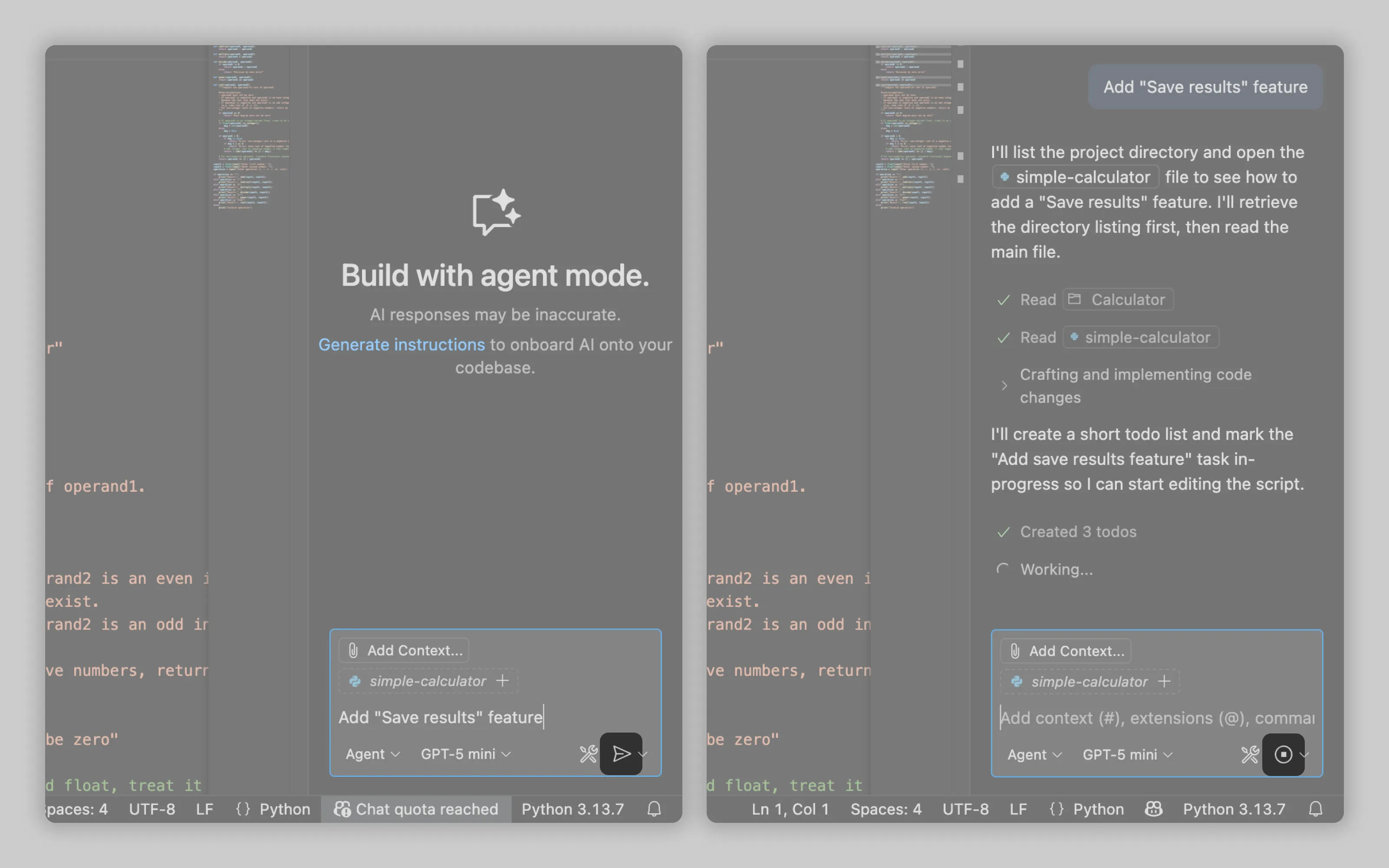
VSCode (and many other apps) uses a send button, often a paper-plane icon, to start the request. While the AI is generating, that same control switches into a stop button.
2. Run in queue
Queueing helps when users submit lots of tasks and they need to run one after another. While the AI is busy, users can add another request, and the tool puts it into a queue.
Queued tasks should be editable before they start, and easy to remove.
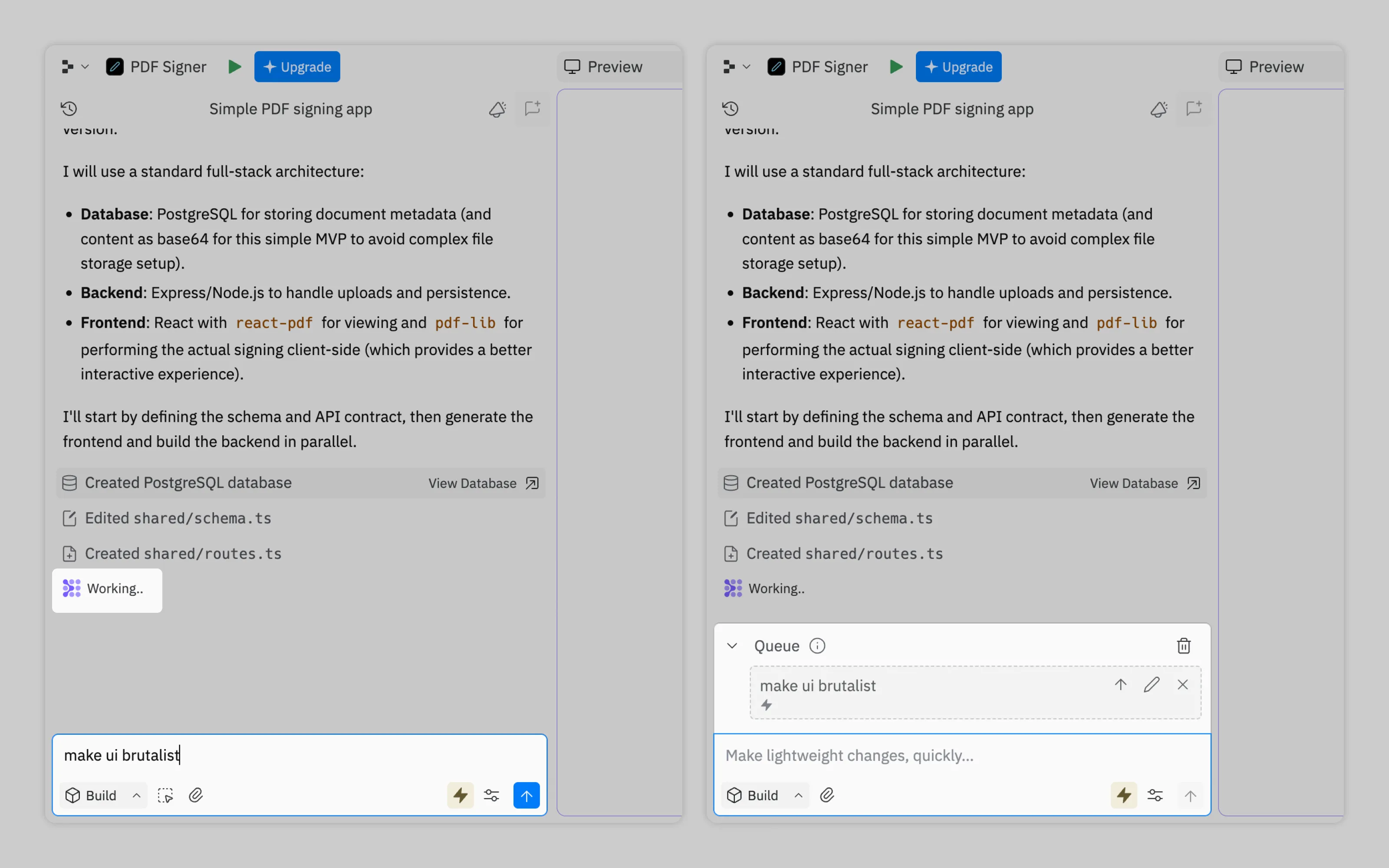
Replit does this by keeping the submit button active during AI work. If the user sends another prompt, it’s marked as queued and runs after the current task finishes.
3. Run in parallel
Parallel runs make sense when users have many tasks and each one can run independently.
What's often utilised is a mission control (agent manager) area that lets users delegate new tasks, see what’s running and what finished, and handle interruptions. An inbox or notifications should collect status updates and approval requests so users can quickly unblock the workflows without hunting through chats.
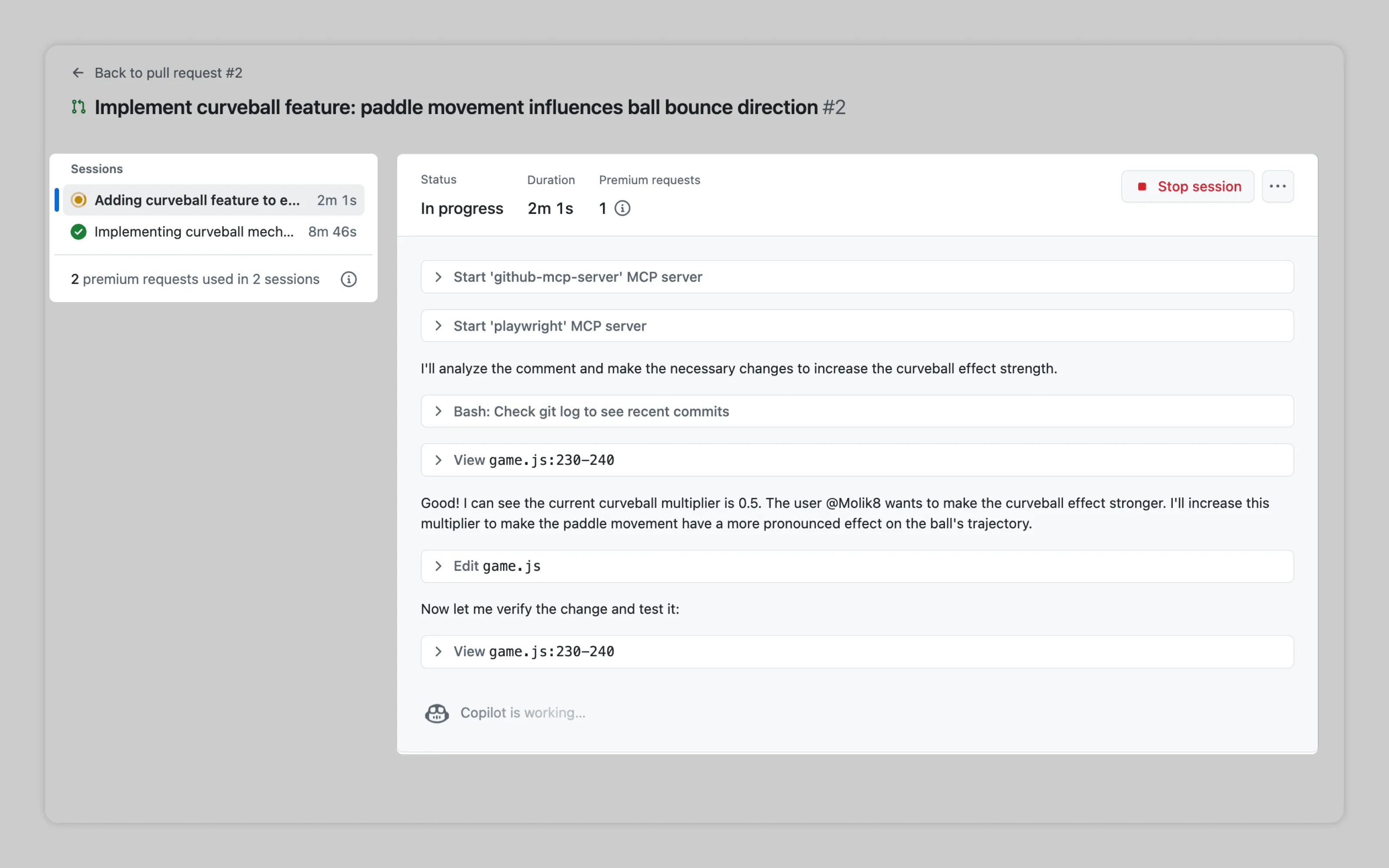
GitHub has a mission control panel where users can browse delegated workflows and inspect the steps the AI is taking.

Antigravity adds an inbox on top of agent manager, so users can track statuses and quickly review and approve AI requests.
4. Run on trigger
Run on trigger is useful when an AI task should happen after an event, not because the user pressed “run.” This includes automatic suggestions, auto-refreshing page or meeting summaries, and automation builders where users define a task and then choose what starts it, like an incoming email, a calendar event, or a new task.
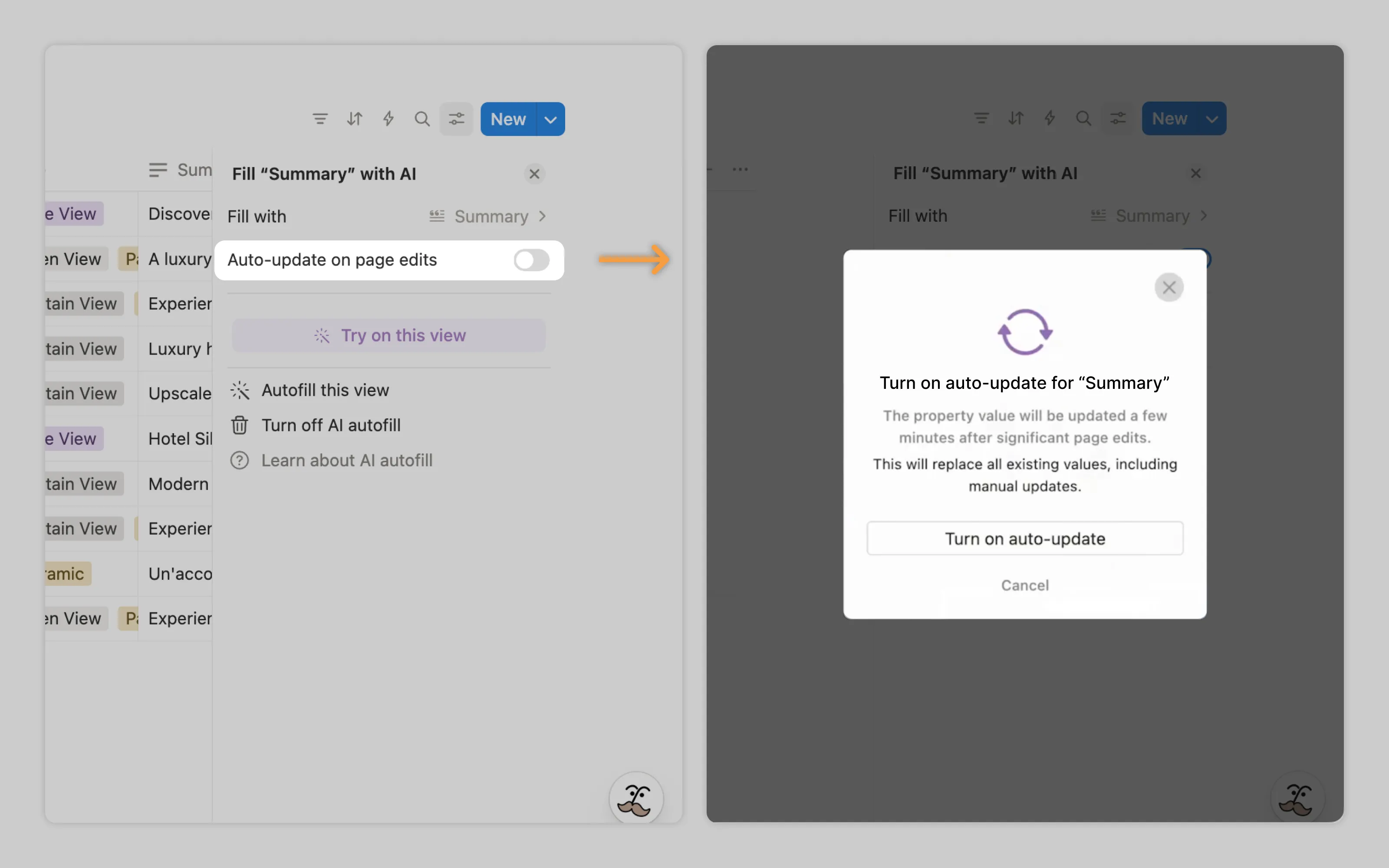
Notion AI does this with auto-update for autofill. It refreshes AI output when the underlying input changes significantly, like when the user edits pages used as context. When users turn it on, Notion tells them when the auto-update will run.
Or email us at hello@studiolaminar.com