
Output management
Review AI's proposed changes through previews or variations, then accept, reject, regenerate, or revert
Key characteristics
Output management provides output visibility before committing them to the user's work
Users can accept, reject, or regenerate individual changes or entire outputs
This pattern works best for documents and code where AI suggestions enhance human work
About
When users and AI collaborate on existing documents or code, users need control over which AI changes become permanent. Every modification should be reviewable before it touches their work.
This pattern applies specifically to cooperative workflows where AI modifies user-created content. In exploratory canvas workflows, output management is mostly about variant selection and regeneration since AI creates copies rather than editing originals. Users simply pick which version to develop further.
Ingredients of output management
1. There are different types of outputs
Ready-made changes
The standard approach where AI prepares finished additions or modifications to user work.
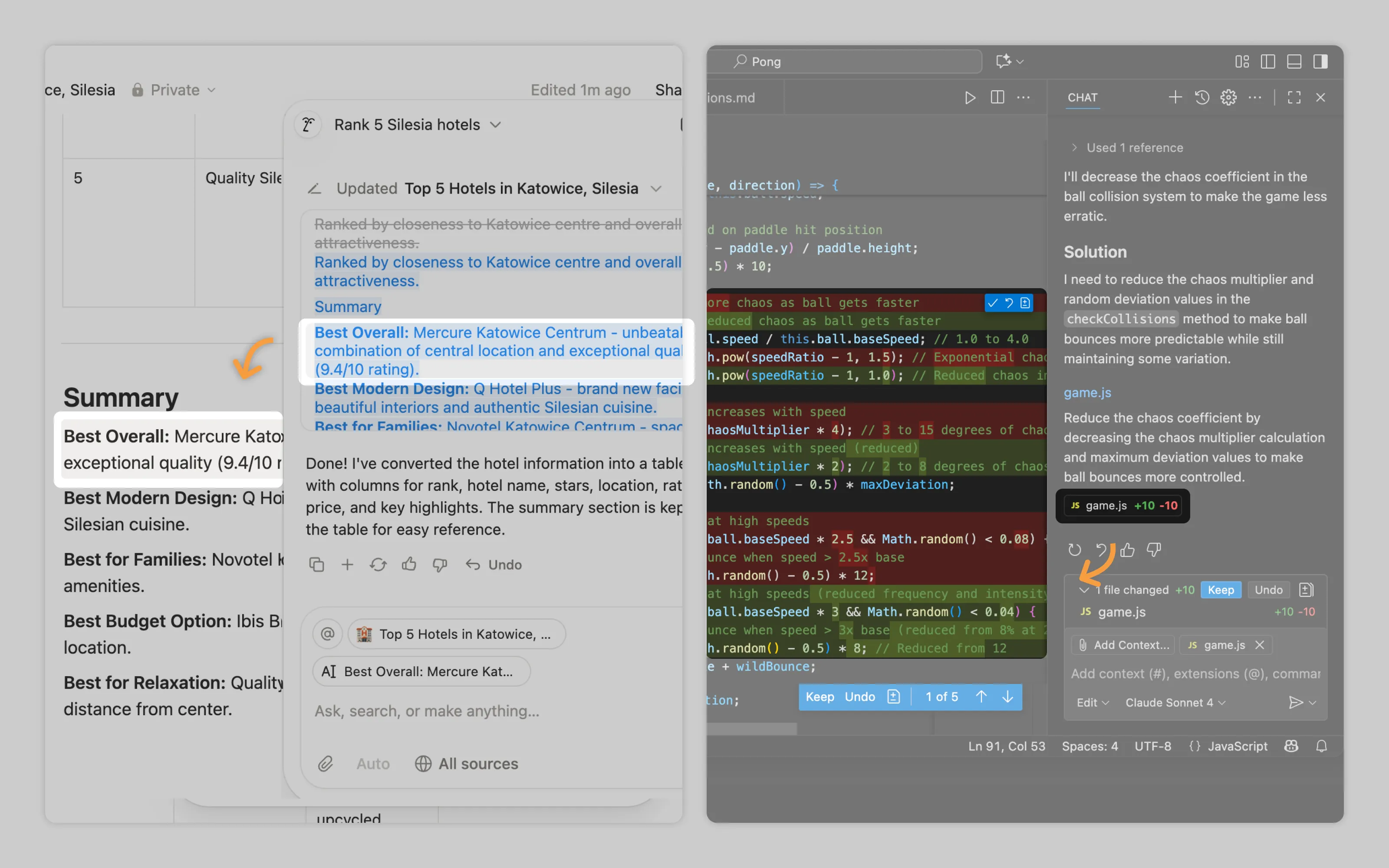
Notion's agentic workflow logs each step and change in chat. VSCode highlights AI code chages in green while the stuff it replaces in red (standard diff display in coding environments). See labor transparency for more info on marking AI output
Previews
For resource-intensive operations, let users test AI output on a subset before committing to full execution. This prevents wasted time and tokens on unwanted results.
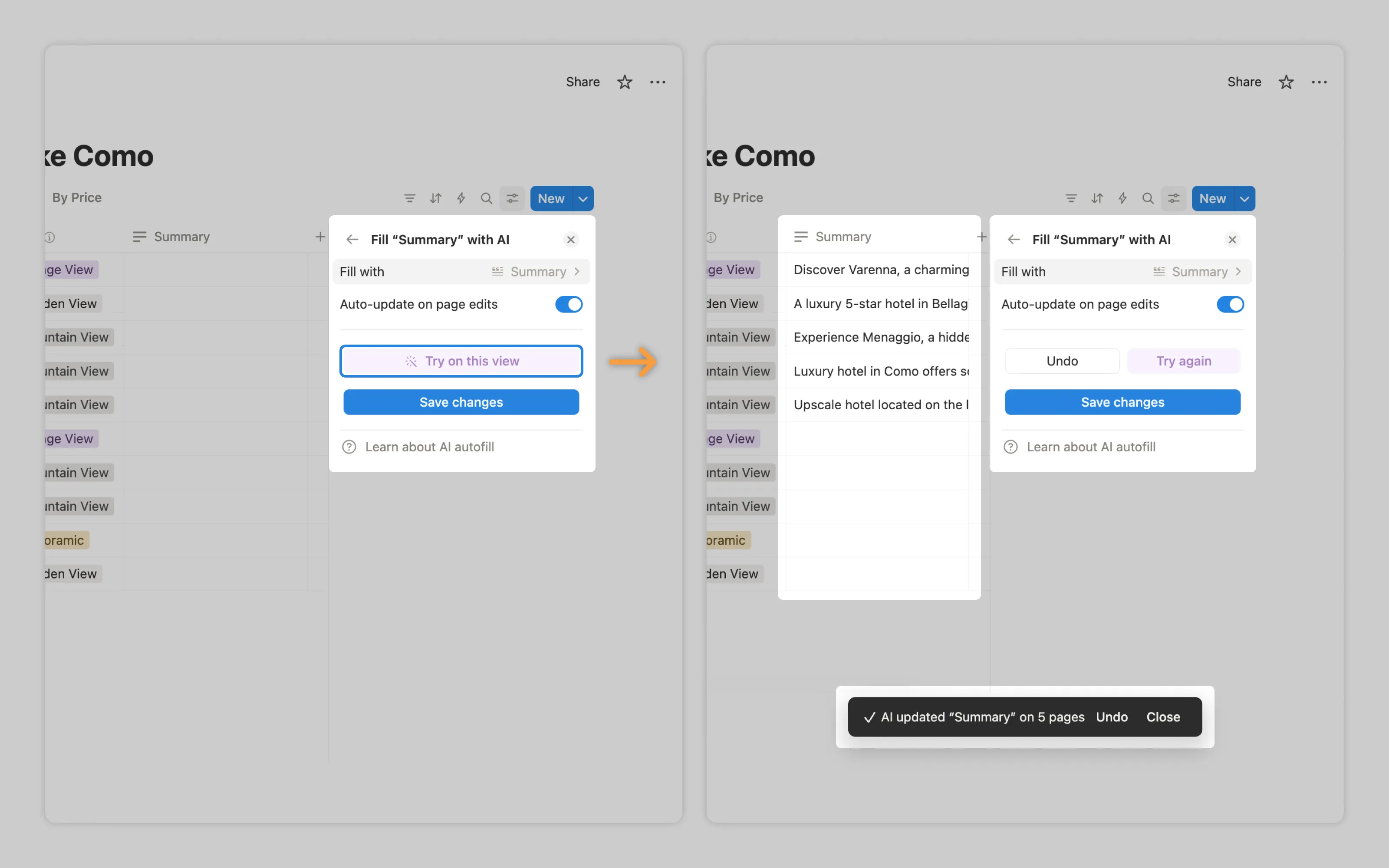
Notion's "Try on this page" generates output for only the first 5 records, letting users validate the approach before processing hundreds more.
Multiple outputs (variations)
When AI lacks confidence about user intent or the task demands exploration, present several options rather than one. Users can compare approaches and select the most promising direction.
2. Provide options to keep or discard changes
Accept/Keep. When users find AI output satisfactory, they need ways to incorporate it into their work. Standard acceptance replaces the original content. But users might want to preserve both versions, requiring an "insert below" option that adds AI output without deleting what existed. For previewed outputs, accepting means requesting AI to generate the full version beyond the sample. When multiple variations are presented, users should be able to accept one, multiple, or cherry-pick elements from different variants to combine.
Discard/Undo. Users need immediate escape routes from unwanted AI changes. This removes the fear of experimentation since any AI suggestion can be instantly reverted without permanent consequences. The discard action should cleanly restore the previous state as if AI never touched it.
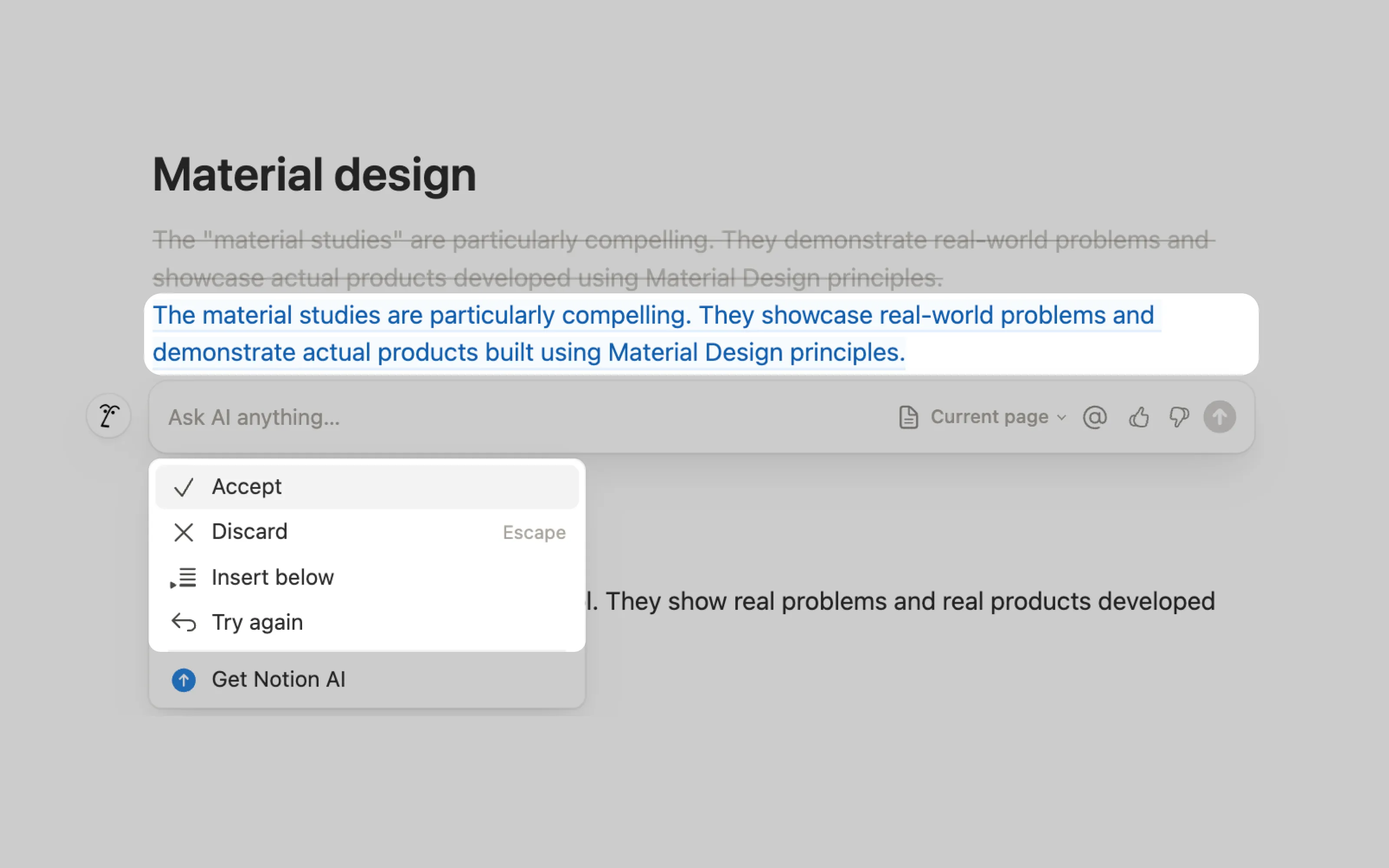
Notion's single-element edits offer four clear options: accept, discard, insert below, or regenerate. For batch changes, Notion applies all by default but provides bulk undo.
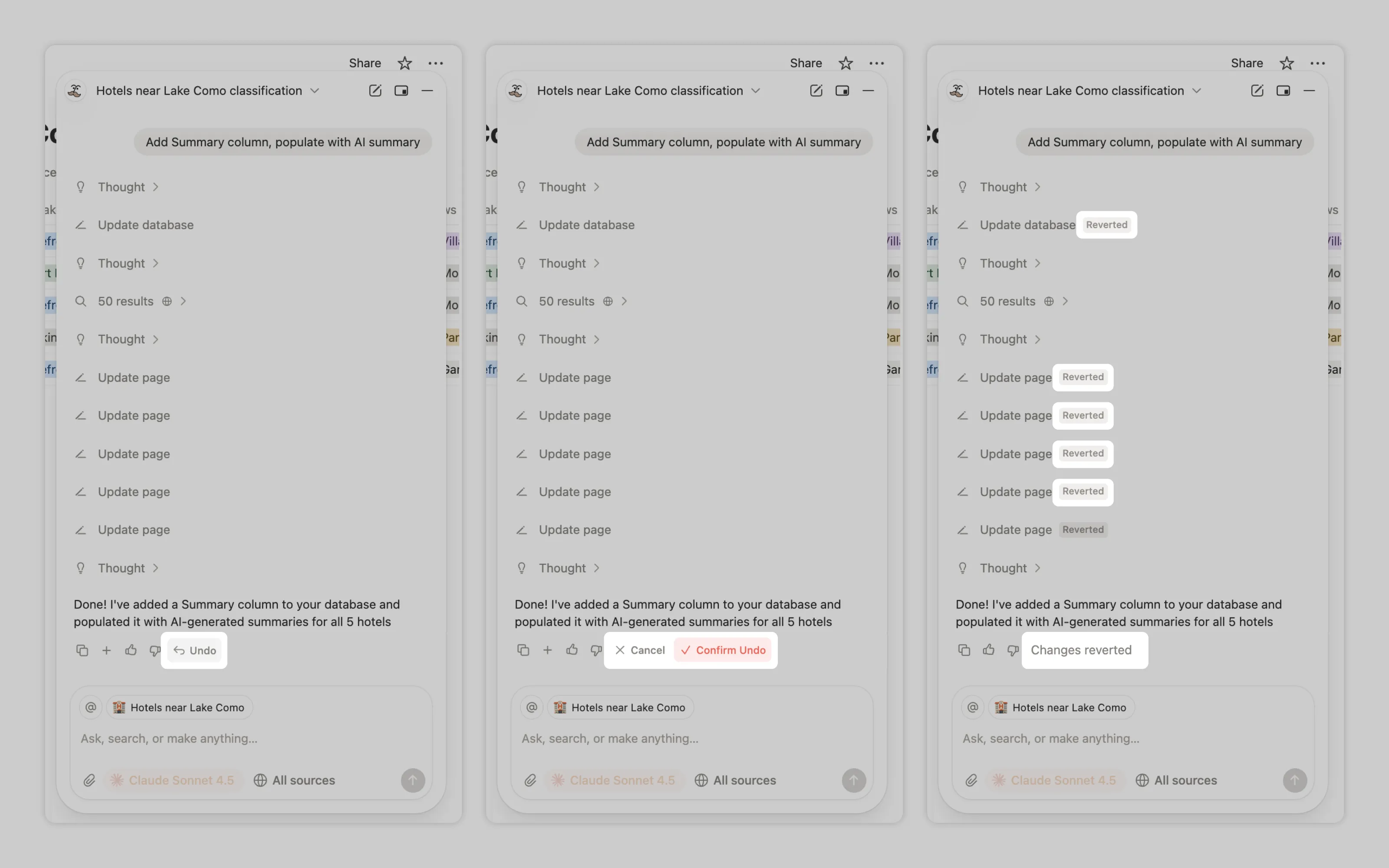
For delegated tasks, Notion applies all changes by default and provides bulk undo only.
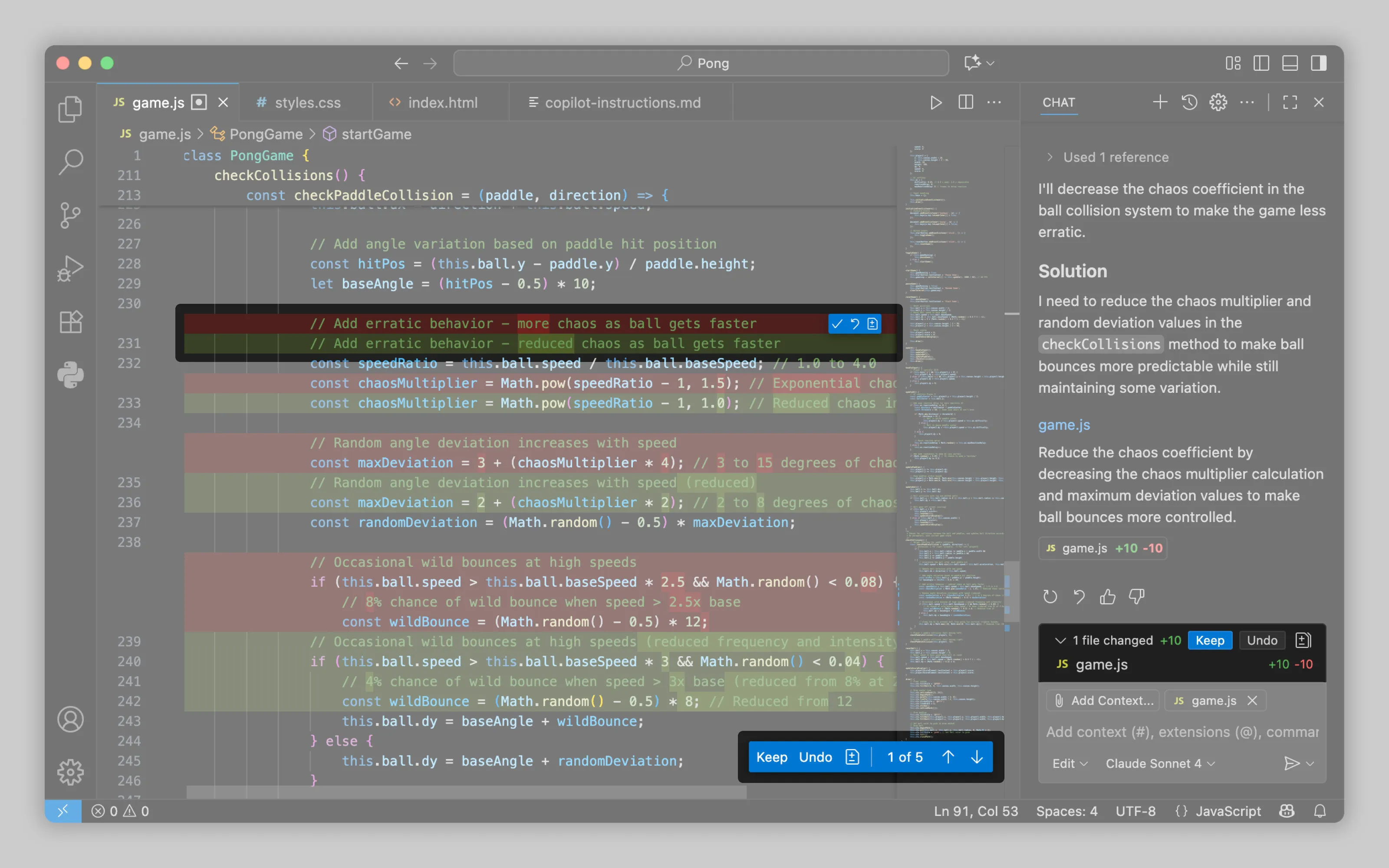
VS Code takes the granular approach: every change can be individually accepted or rejected. However, regeneration applies globally, replacing all changes with a fresh attempt.
3. Allow to regenerate
Sometimes the right prompt produces wrong output. Regeneration lets users roll the dice again without rewriting their request. This differs from discarding because users still want AI to solve the problem, just differently.
4. In certain scenarios, require review
High-stakes submissions need verification gates. When AI-generated content enters production systems or influences critical decisions, force users to review before submission. (See: Human decision gates)
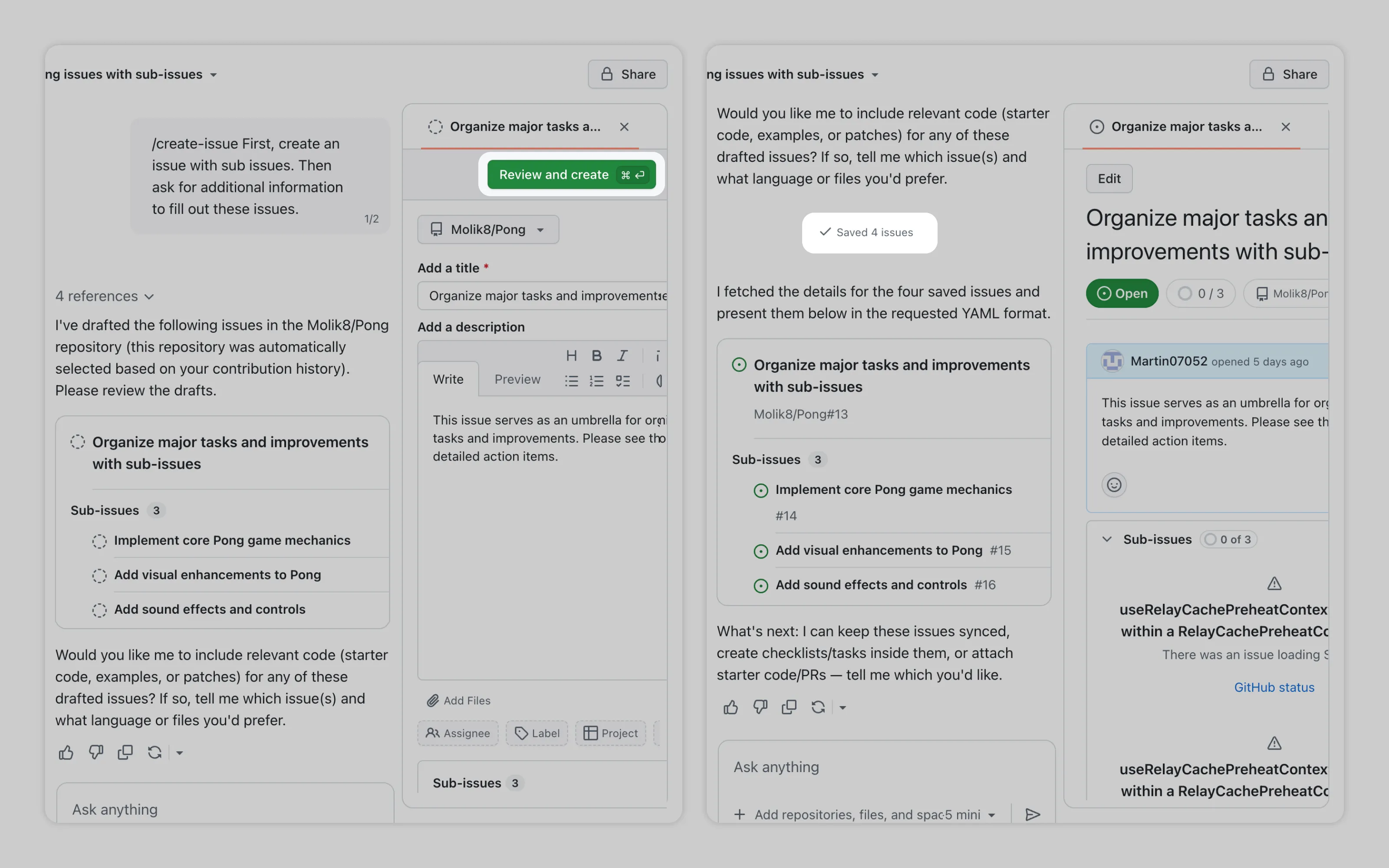
GitHub Copilot pauses after creating files, requiring user review and approval before saving. Only after confirmation does it mark files as saved and continue working.
Or email us at hello@studiolaminar.com