
Context pointing
Provide AI with context automatically, and offer simple ways to add or narrow it.
Key characteristics
Provides an easy and precise way of supplying relevant context for AI
Removes manual effort altogether by automatically gathering relevant information
Passive context accuracy improves as the system learns user patterns and preferences over time
About
The whole idea behind context pointing is that if context already exists within the tool, users should never have to manually input it for AI.
For example if someone wants a summary, AI should automatically pick up the document they’re currently in and use it as the source
Same for editing. If a user wants part of a text changed, they shouldn’t copy it into a chat. They should highlight the text and ask for a rewrite. The selection alone should be enough to provide AI context.
Types of context pointing
1. Passive – doesn't need deliberate user action. It's instead derived from:
Fixed relations: Some AI triggers should reference specific data by default.
Example: A “Summarize” button next to a video call transcript should always use that transcript as context.Workspace artifacts: What the user is working on, including files, comments, and documentation.
Example: A project management tool uses open task lists and recent comments to suggest relevant teammates when creating a new task.Interaction history: Recent edits, commonly used components, and the user’s usual workflow.
Example: A code editor notices you frequently import the same three libraries and offers to add them automatically to new files.User data: What the product already knows about the user, such as role, plan, and onboarding choices.
Example: An analytics platform tailors AI-generated report templates based on whether the user selected “Marketing Manager” or “Data Analyst” during onboarding.Pattern detection: When the user builds a recognizable structure, AI can spot the pattern and propose the next logical step.
Example: After you manually categorize three expenses as “Travel,” the system detects the pattern and suggests categories for similar upcoming transactions.
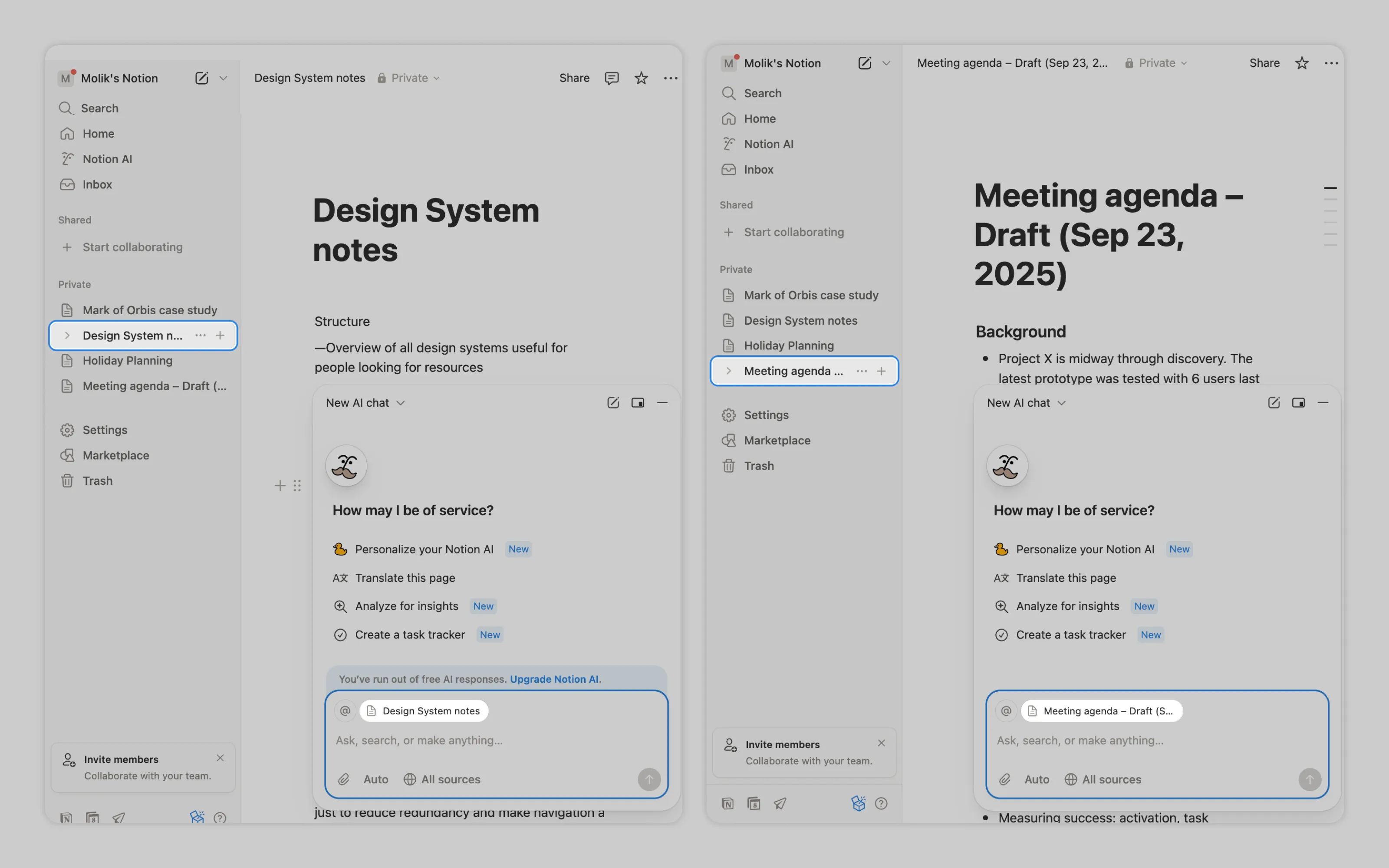
In Notion, AI uses the current page as the default context (workspace artifact). The prompt shows the page name next to the input, so the user know what AI references and can remove it by hovering over it and clicking the x.
2. Explicit – requires deliberate user action like:
Selection
Highlighting text or selecting an element is a clear cue that the user wants AI to work only on that part so the selected content should be passed to AI as context.
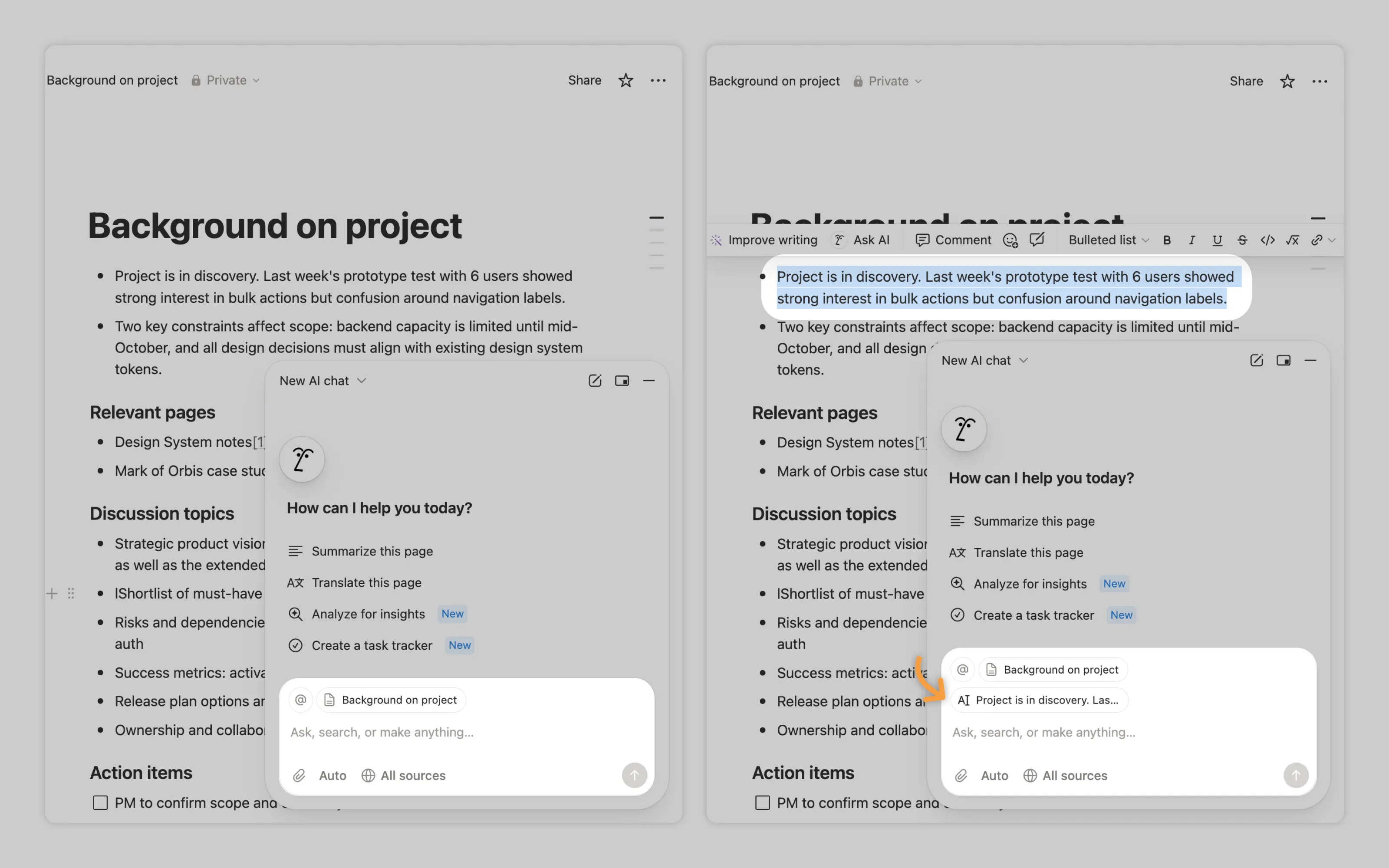
In Notion, highlighted text is added to the AI chat as a reference.
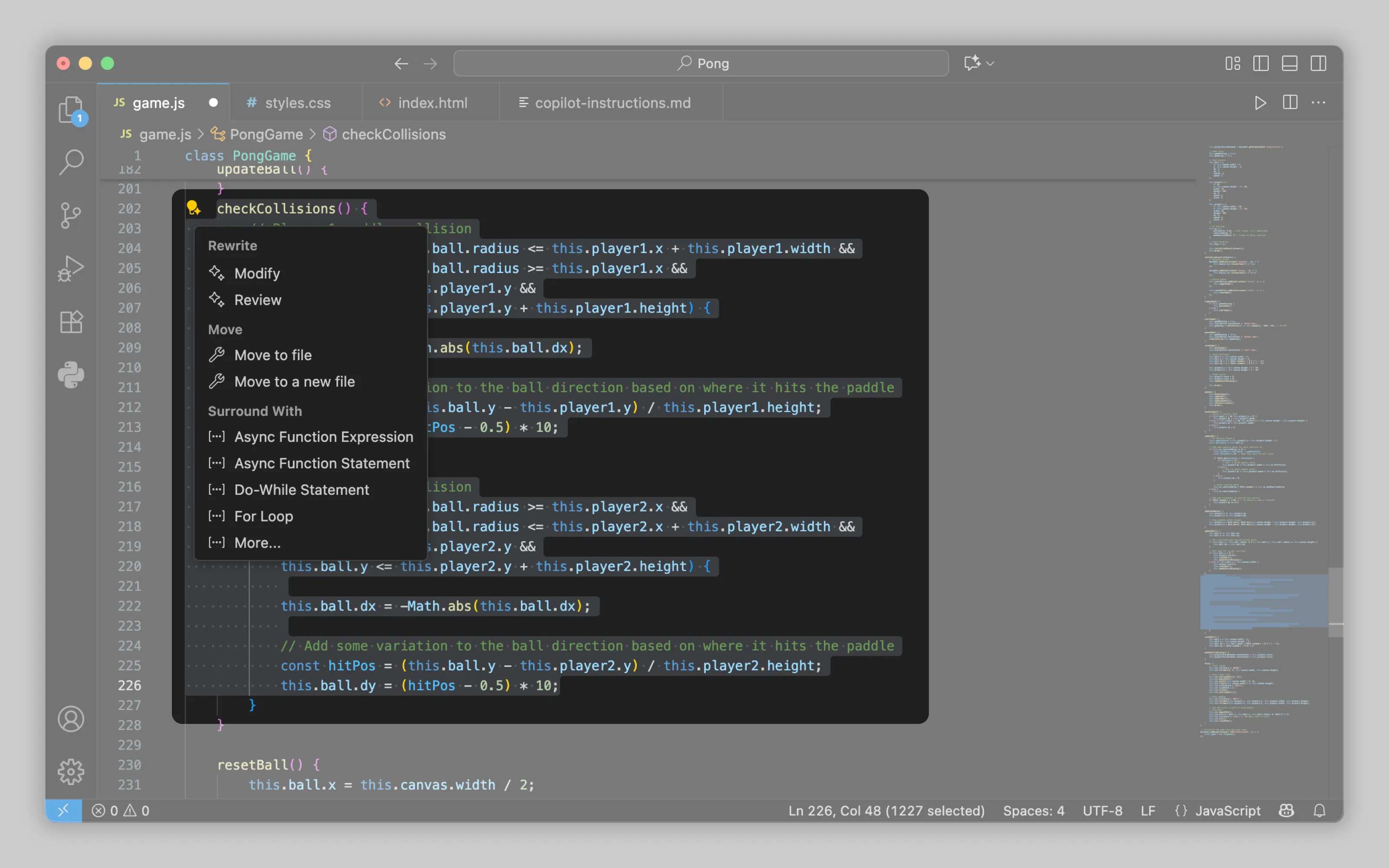
In VS Code, AI modifies or reviews only the selected code.
Adding context
When work spans multiple files, users should be able to tell AI what else to look at. Add context menu to let them pick extra sources like pages, tickets, or even teammates. In many tools, users can also upload files to use as context.
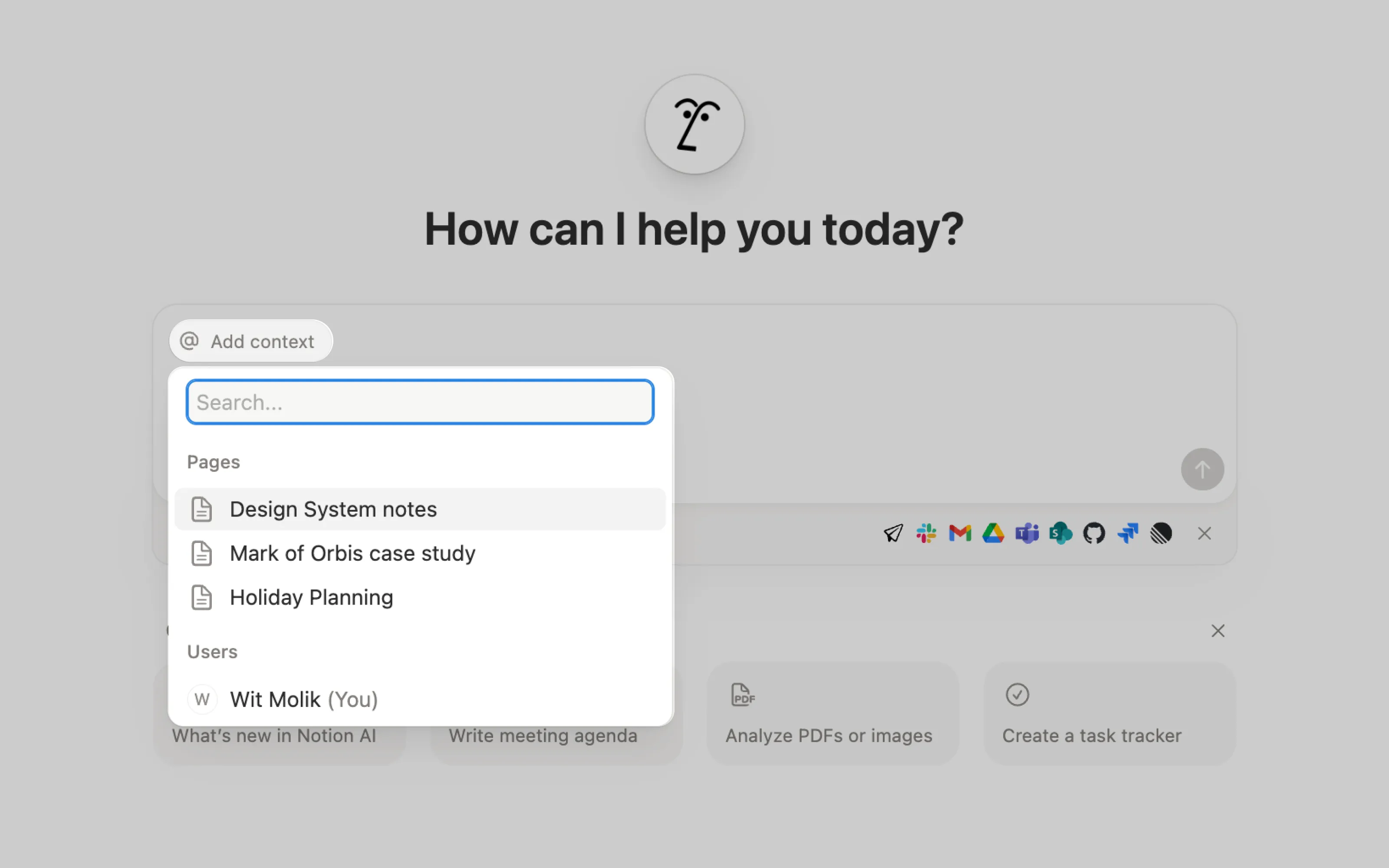
Notion lets users add project pages or specific people as context.
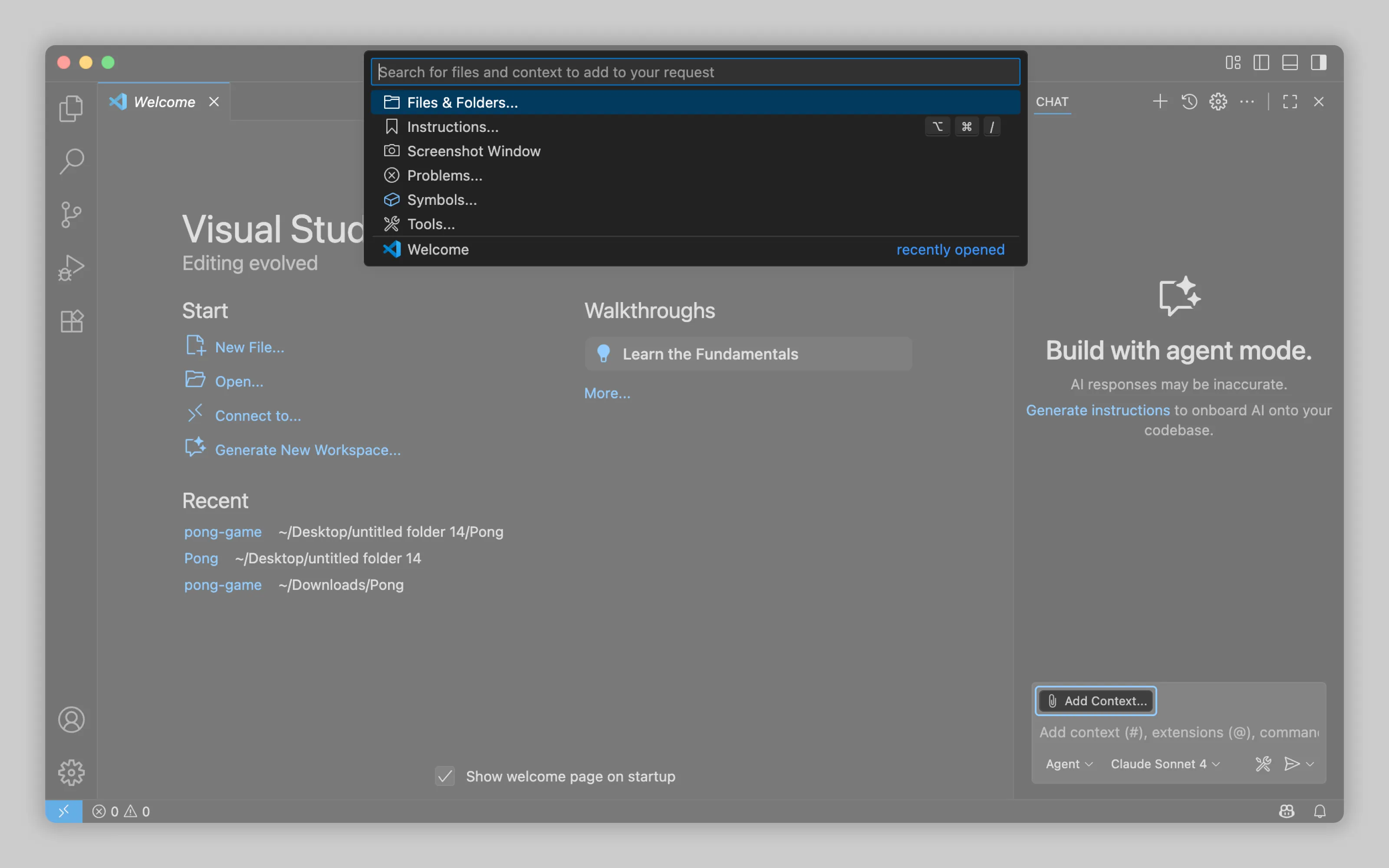
VSCode supports adding many different types of items as context.
Examples
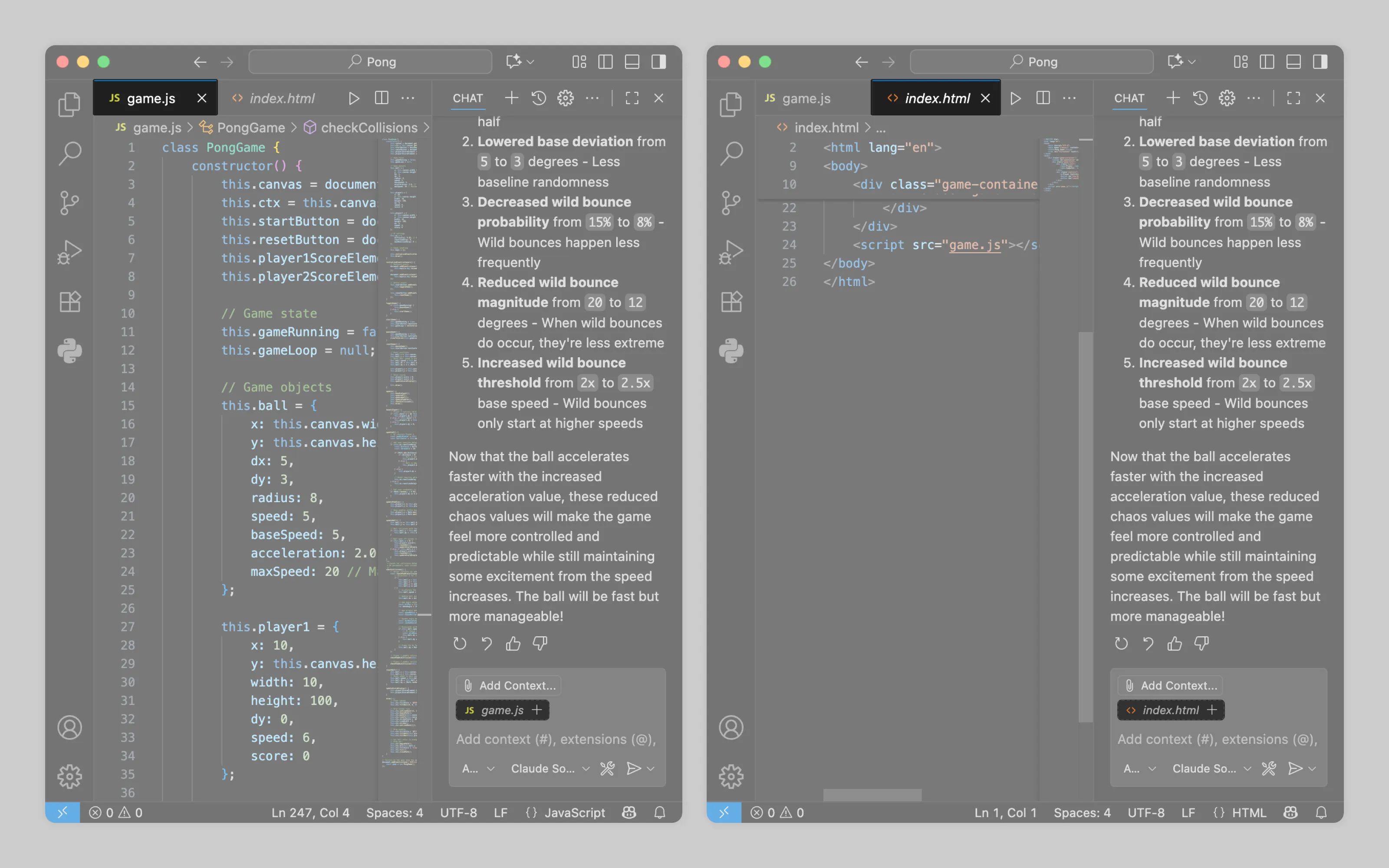
Like Notion, VS Code can also use the currently viewed file as context by default.
Or email us at hello@studiolaminar.com