
Model customisation
Specialize AI models with instructions or resources to deliver industry-appropriate responses with the right tone of voice
Key characteristics
Changes AI behavior and knowledge from default
Driven by instructions or reference sources/documents.
Fits either per-user/team spaces (general tools) or baked-in domain tuning with feedback (in-house tools).
About
Model customization adjusts how AI behaves compared to its "stock" form. Different products handle this adjustment at different levels: some expose customization controls directly to users so they can tune AI behavior themselves, while others have product owners configure everything under the hood to match their specific user base
Most customisation comes down to two inputs: written instructions that tell the model how to behave, and documents it can reference.
Since customization shapes every AI output, it can be considered a parameter that influences all interactions.
Types of customisation
1. Customisation on users end
Open-ended creation tools for writing, planning, or coding might benefit from user-level customization. Each user or team lead should have their own space to add custom instructions and knowledge sources that match their specific workflow.
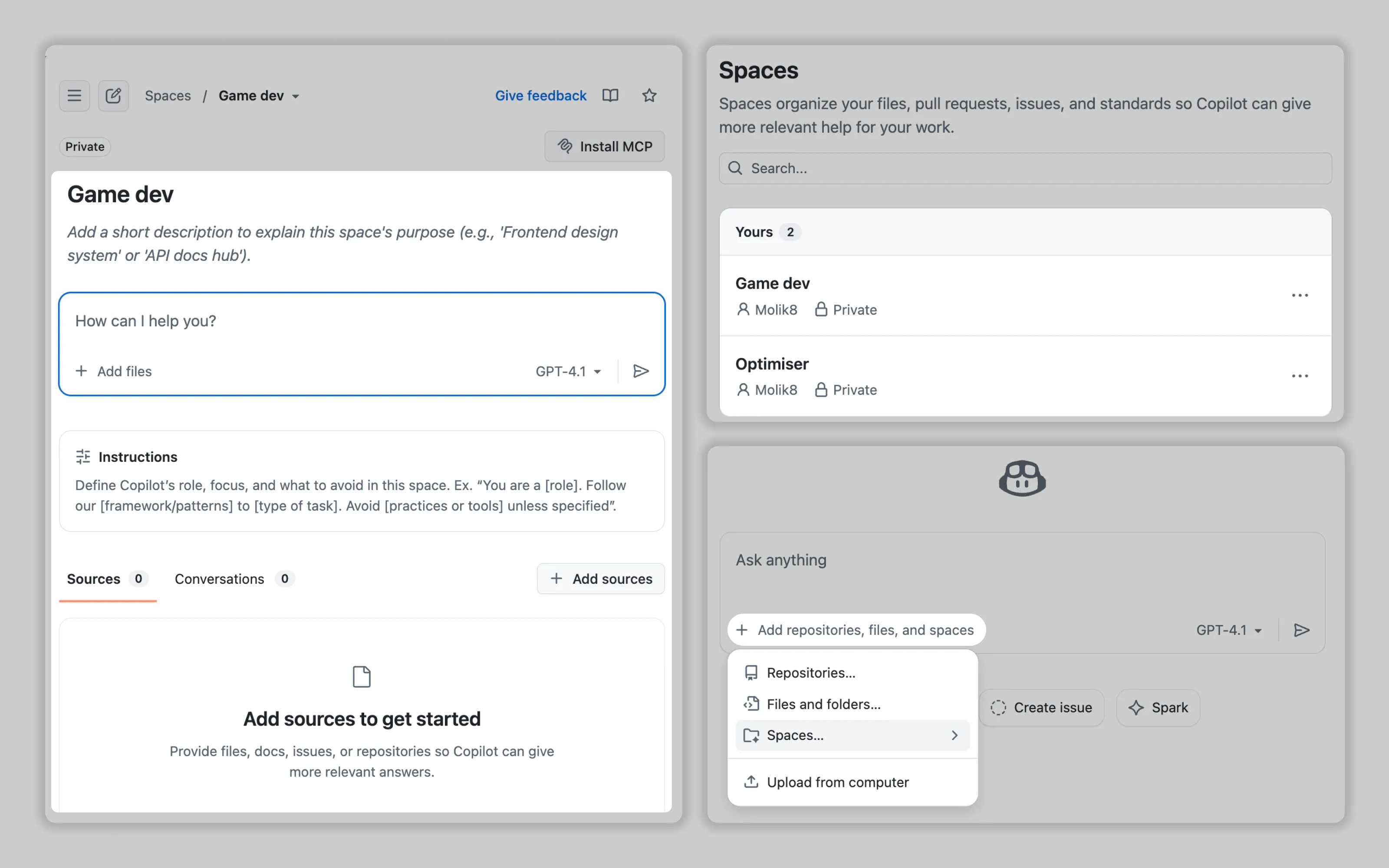
GitHub lets users customize Copilot through dedicated spaces where they add instructions, sources, and even full conversation examples. Users can create multiple spaces and reference them when prompting AI.
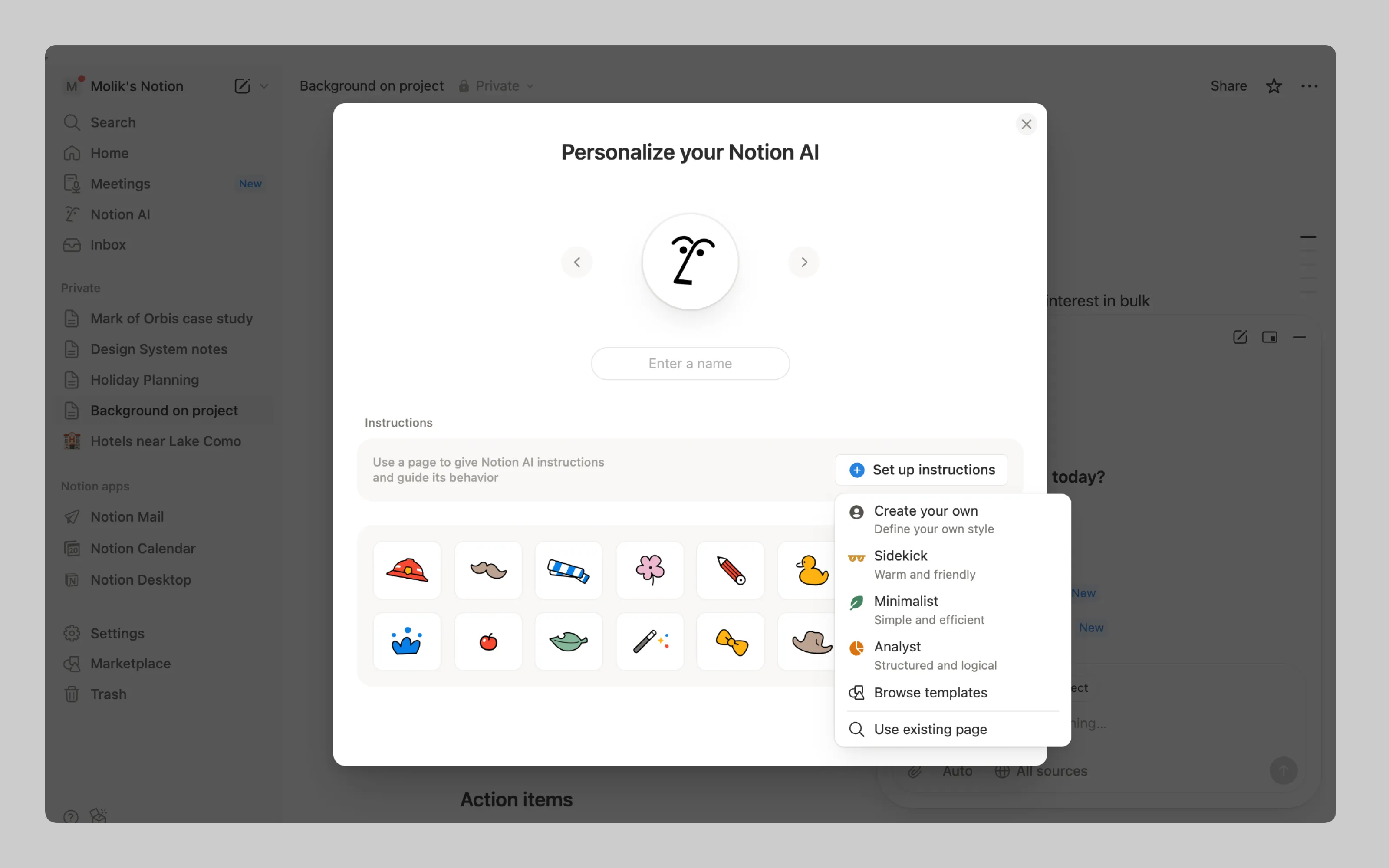
Apart from specialising AI with instructions, Notion also allows users to customise the AI avatar. Cute.
2. Customisation on products owner end
In-house tools with single-domain focus should bake specialized knowledge directly into the AI. No user configuration needed when everyone shares the same context and requirements.
This under-the-hood approach means output quality now lie with the product owner’s team. Track AI output ratings and user feedback to identify where your customization falls short. Users know when the AI misunderstands their domain. Read more at Performance Feedback
Or email us at hello@studiolaminar.com