
Performance feedback
Let users rate AI quality and report problematic outputs
Key characteristics
Captures quality signals through ratings (thumbs, stars) or reports
Critical for specialized models in high-risk fields
Enable detailed feedback through follow-up forms asking what worked or failed
About
Performance feedback lets users mark when AI outputs are helpful or problematic. These ratings build a foundation for tracking AI integration quality while also serving as a basis for auditing.
For tools using unaltered base models, feedback primarily helps model providers (OpenAI for ChatGPT, Anthropic for Claude) fine-tune their LLMs and fix bugs.
Feedback becomes crucial for product teams when they specialize base models or let users customize them (see: Model customization). These ratings reveal whether specialization actually improves outputs, particularly critical in high-risk fields like medicine, government, and business where bad AI information causes real damage.
Ways to capture users input on performance
1. Rating
The familiar pattern everyone knows from service feedback everywhere. Basic ratings appear as thumbs up/down near AI output or 1-5 stars in a toast notification after AI completes a task.
For richer data capture, follow-up forms can ask specifics after the initial rating. These either ask users to describe issues in their own words or select from common problems.
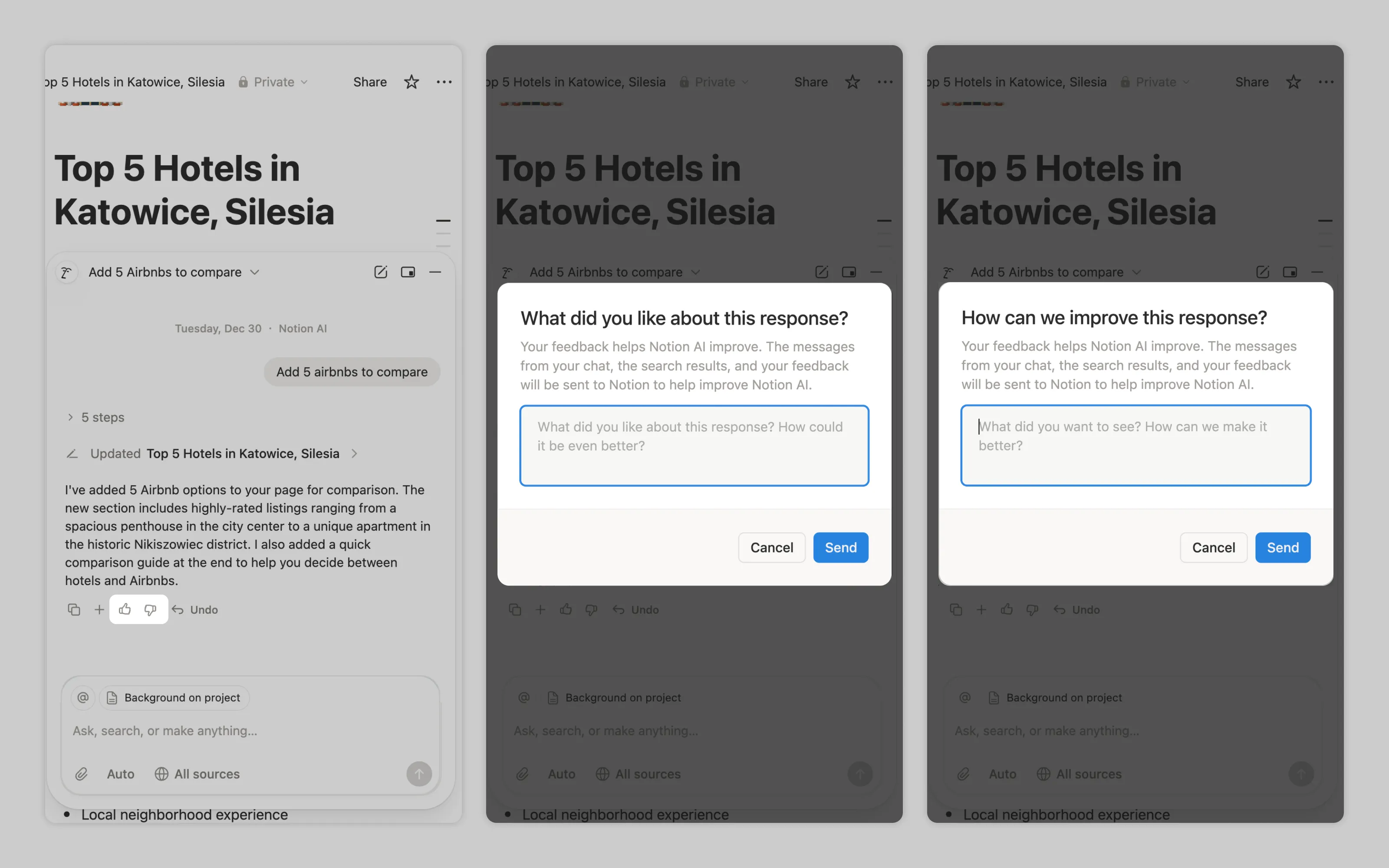
Notion AI prompts users to write what they liked or didn't like about AI's work.
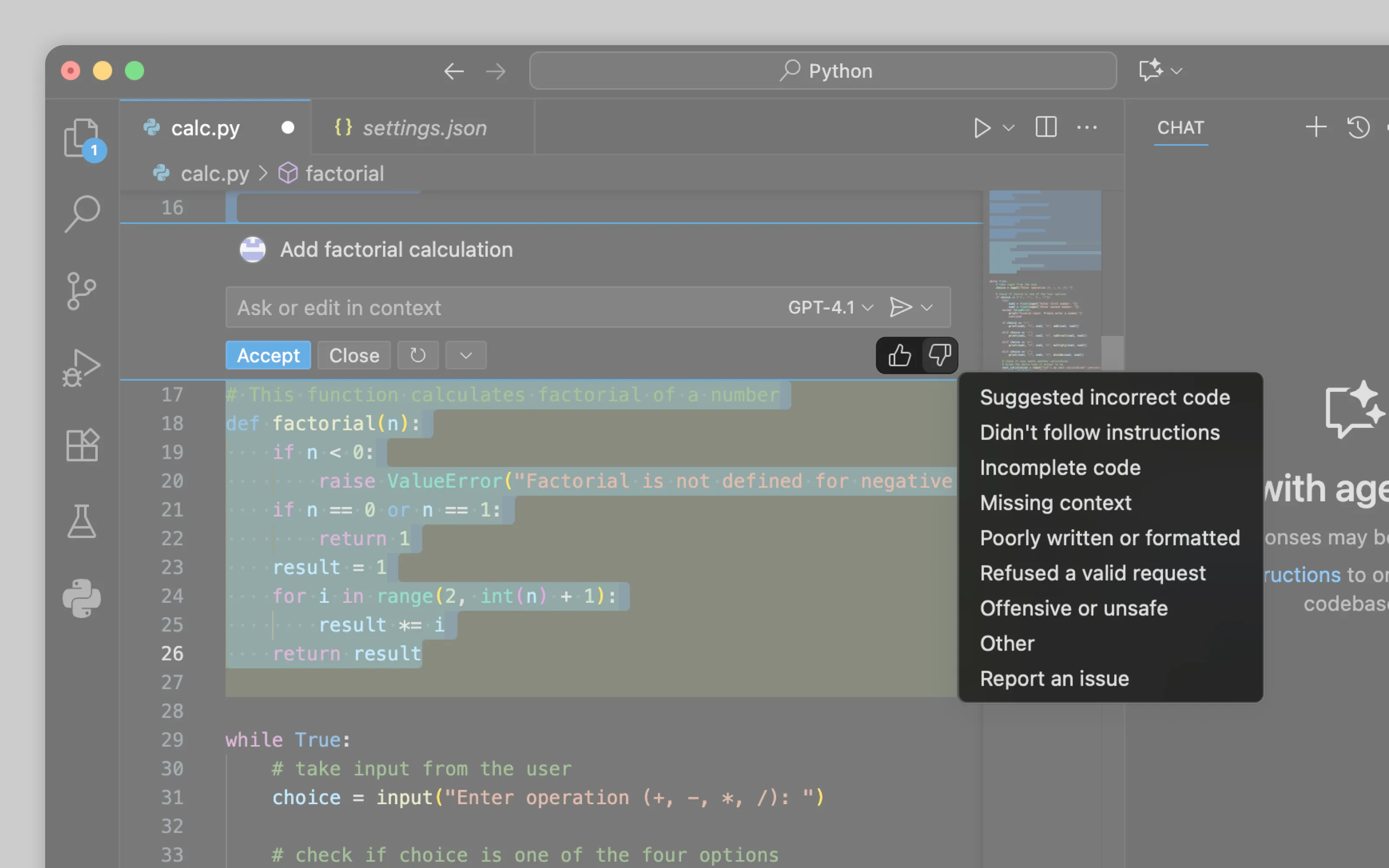
VS Code Copilot accepts thumbs up silently but displays a list of common AI issues after thumbs down, letting users pinpoint the specific problem.
2. Reporting
Reporting focuses solely on flagging problematic outputs in environments where positive feedback is unnecessary but catching errors is necessary.
Since reporting typically happens in professional environments with trained specialists, the interface should let users write detailed descriptions or select from domain-specific issue categories. Then experts can communicate precisely what went wrong with the output.
Or email us at hello@studiolaminar.com