
Parameters
Controls that shape AI output outside of the prompt. Enabling to adjust things like tone, style, mode, and quality
Key characteristics
Shape AI output without changing the core task or prompt
Support multiple inputs like selectors, sliders or even textual inputs
Typical parameters: tone, length, style, mode, speed vs. accuracy
About
A parameter is any input that shapes AI output without being the main prompt or task. In this sense, model selection, model customization, and peripherals integration can all be regarded as parameters, as they influence the AI’s output.
Parameters show up most in tools where AI output is a core part of the user’s work, like copywriting or image generation, and where users need controlled variation. For example, you might generate copy for multiple ad campaigns where one needs a direct tone and another needs a persuasive tone.
Even outside creative tools, parameters still help. They can act as mode switches like agentic mode or deep research. They can also act as cost controls, like choosing a lighter generation option that uses fewer tokens
Types of parameters
1. Selection parameters
Most of the time, users only need a handful of preset options to steer AI in the right direction. Put these into toggles or dropdowns.
Selection parameters are useful for:
Writing tweaks like tone and length
General workflows like work mode (deep research, web search, agentic approach), plus speed and accuracy toggles
Image generation options like style, aspect ratio, and number of variations
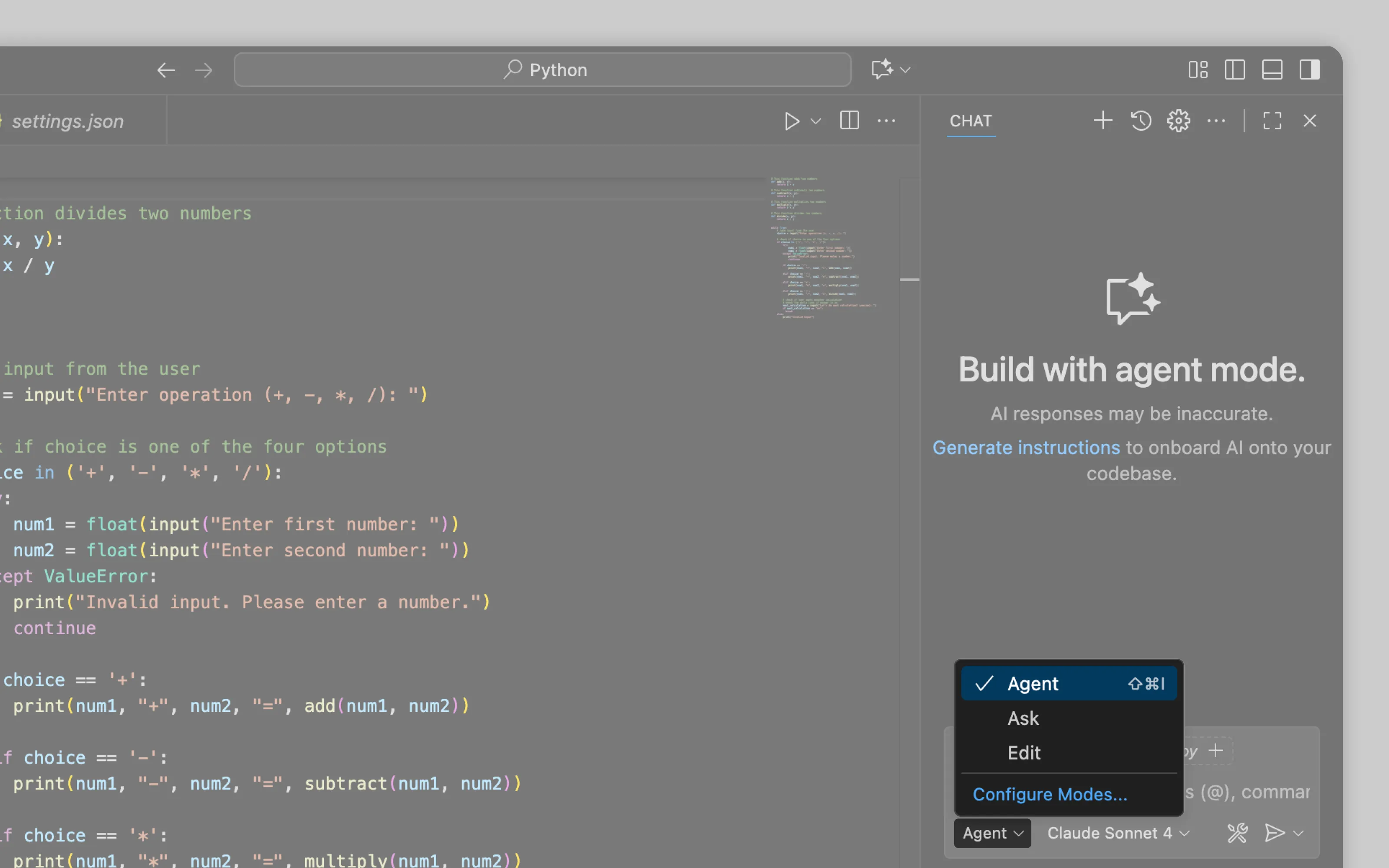
VS Code uses selection parameters to switch AI between three modes, which changes how it works and, as a result, what it produces.
2. Linear parameters
Linear parameters work for settings with clear direction and smooth range because sliders or matrices let users adjust intensity faster than picking separate options. These parameters appear mostly in creative tools where AI output is the final artifact and subtle adjustments matter.
Linear parameters are useful for:
Writing controls that adjust tone or voice, like a slider from formal → casual or neutral → playful
Image generation controls like stylization and randomness like subtle → highly stylized or predictable → surprising
3. Written parameters
When presets aren’t enough and fine-tuning really matters, some tools add a separate field for written instructions. This is common in image generation, for example negative prompts that list what should not appear in the output.
For written instruction meant to change the model’s behavior across many outputs, see model customisation instead
Or email us at hello@studiolaminar.com