
Peripherals integration
Enable AI to expand its capabilities with tools, knowledge bases, and MCP connectors
Key characteristics
Tools extend AI capabilities – they enable data retrieval (web search) and actions (document creation)
Usually peripherals work invisibly as most users don't need to manage it
Tools management is needed only for data source connections and power user configurations
About
The only thing an AI model can do by itself is respond to our queries in text. Every other action, like editing or pulling data, is enabled by peripheral functionalities like API calls or tools.
Usually this complexity is hidden. Users want AI that reads email and edits documents, not API configuration screens. Peripherals only need visibility when users connect new data sources or when power users need granular tool control.
Types of peripherals
1. AI connectors
AI connectors let models pull data from apps like Slack, Google Drive, or Jira, along with web searches and knowledge bases.
These are typically the only peripherals users need to manage, to be able to connect new apps with their data
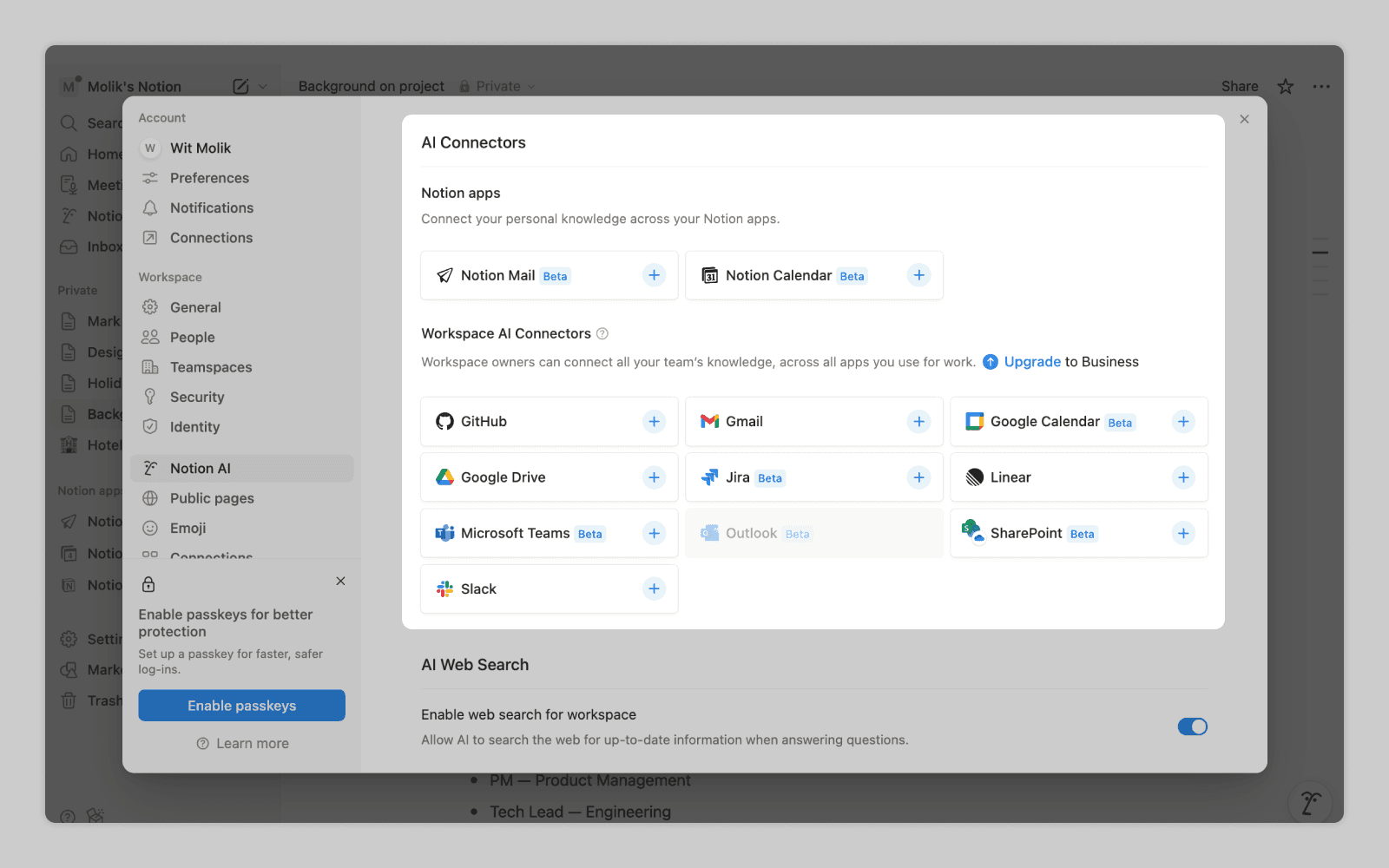
Notion lets users link additional peripheral sources for AI to reference.
2. Functionality tools
Tools let AI create documents, edit work, generate logs, or build task lists.
Most of the time tools “just work,” and usually the only way users can configure them is by proxy (“enter agentic mode” parameter enables editing tools).
If tools are fully disclosed it's mostly done in advanced environments where technical users might need to achieve specific results by enabling, disabling, or adding custom functionalities.
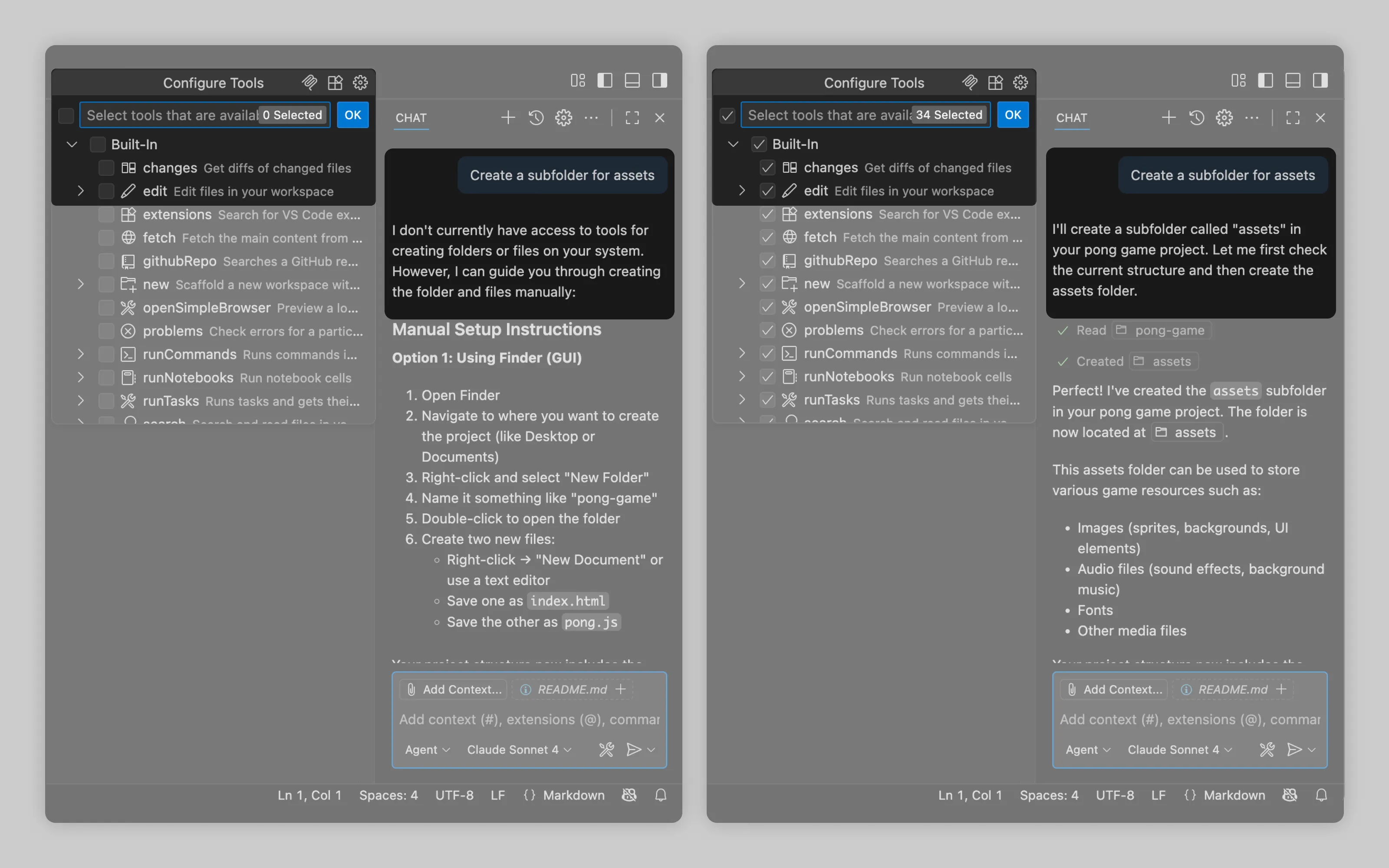
In VS Code, disabling all tools makes AI output into text-only responses. If you ask it to create a folder, it provides instructions on how to do it. With tools enabled, it creates the folder on its own.
Or email us at hello@studiolaminar.com