
Presence
Where people expect to find AI
Key characteristics
Good presence means good findability. People expect to find certain options in certain places.
Well-designed presence makes AI feel like a dependable tool, not a gimmick.
About
AI presence simply describes where within interface user can find AI to collaborate with
As AI becomes common, expectations will harden. Presence will turn into a rigid pattern because people will expect AI in specific places, much like they expect navigation in familiar parts of an interface.
AI presence can be classified by the layer it resides on in relation to the “ground floor,” which is the conventional, non-AI interface:
Inline AI options live within the conventional interface, so they can be considered layer 0.
Overlay AI sits on top of the interface while keeping the underlying content visible and usable. This is layer 0.5.
Center stage AI covers all underlying mechanisms and becomes a new layer of abstraction where all tasks are performed with AI. This is layer 1.
Where can we find AI
1. Inline
Inline AI presence means regular UI controls, like buttons or text fields, placed inside the normal interface.
These controls usually trigger simple, pre-built quick actions such as summarise, modify, or review. They work best when the user is building something and wants quick help, like drafting an email or filling out a table.
Inline controls also work well as a starting point for richer actions that open in an overlay

In VS Code, Modify quick action opens an inline text input, while Explain opens a side panel where output will appear
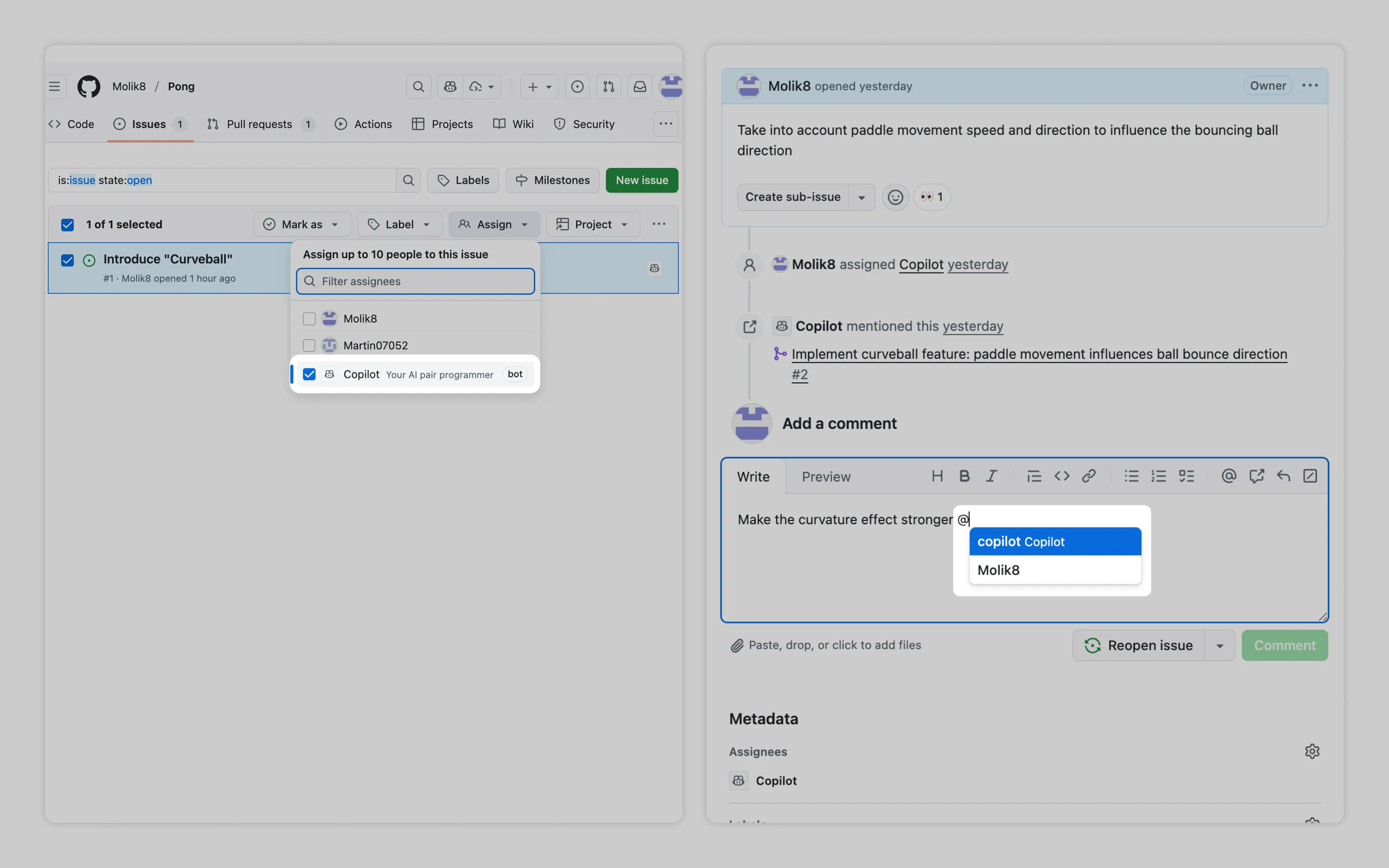
A unique inline presence frames AI agents as coworkers. On GitHub, users can delegate a ticket to AI and converse with it using the same UI people use to collaborate with each other.
2. Overlay
Overlaid AI presence takes shape as chat boxes, side panels, and floating windows.
These surfaces are best for chat workflows. Use them for heavier work: asking questions, running multi-step changes, or agent-style workflows where results show up both in the panel and directly in the user’s work.
What most AI integrations does wrong is forcing simple tasks into chat workflows. Lightweight work should be packaged as quick actions and placed inline. It’s easier to find, faster to use, and provides context to AI seamlessly.
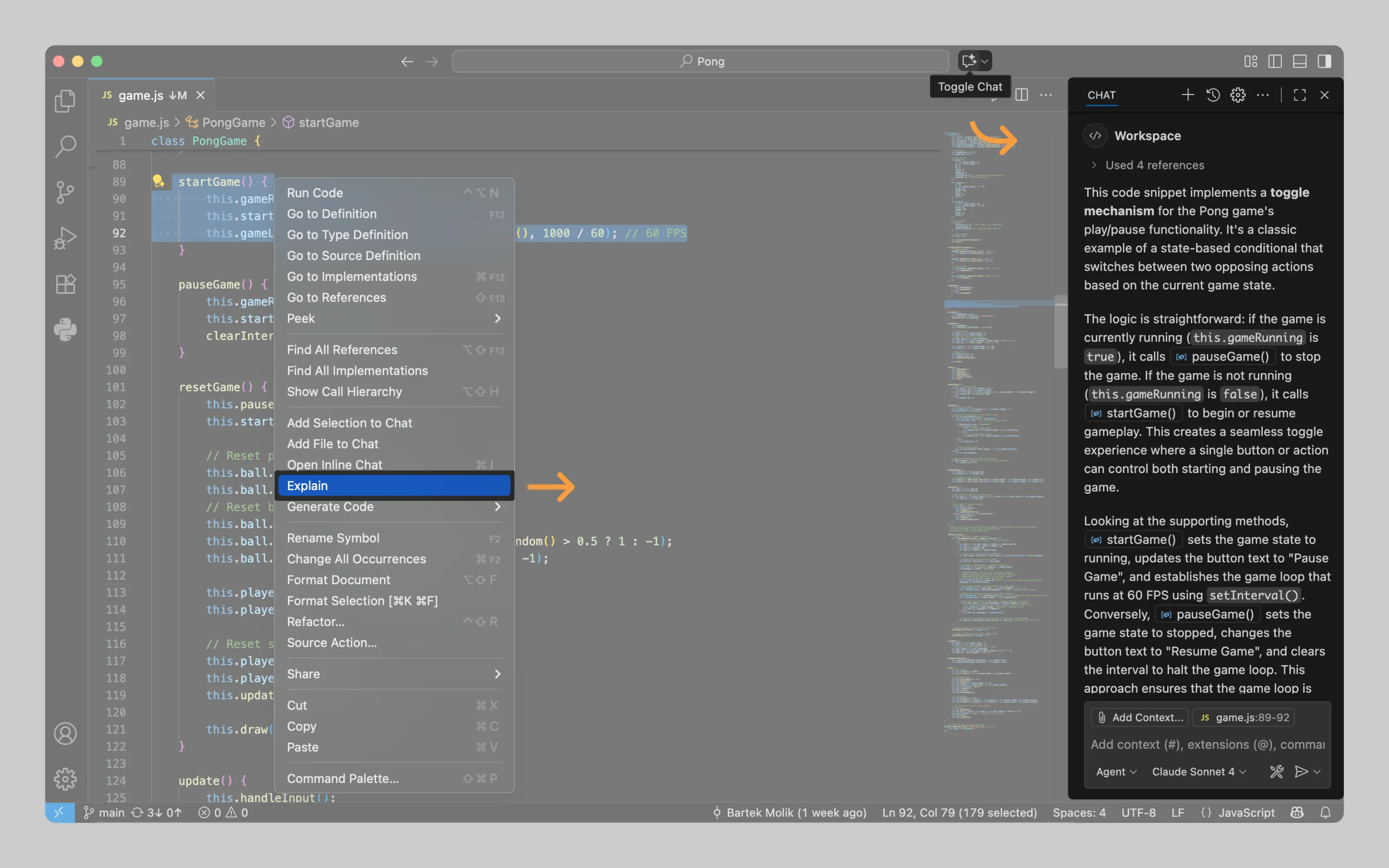
Apart from a dedicated “Open chat” button, VS Code also opens side panels automatically when users select actions that prompt AI to respond through an overlay.
3. Center stage
AI takes center stage when an AI surface fully covers the standard interface.
This mode is for deeper work with AI. It often produces fully generated artifacts, like email drafts or pictures. Both chat and canvas-style workflows fit here
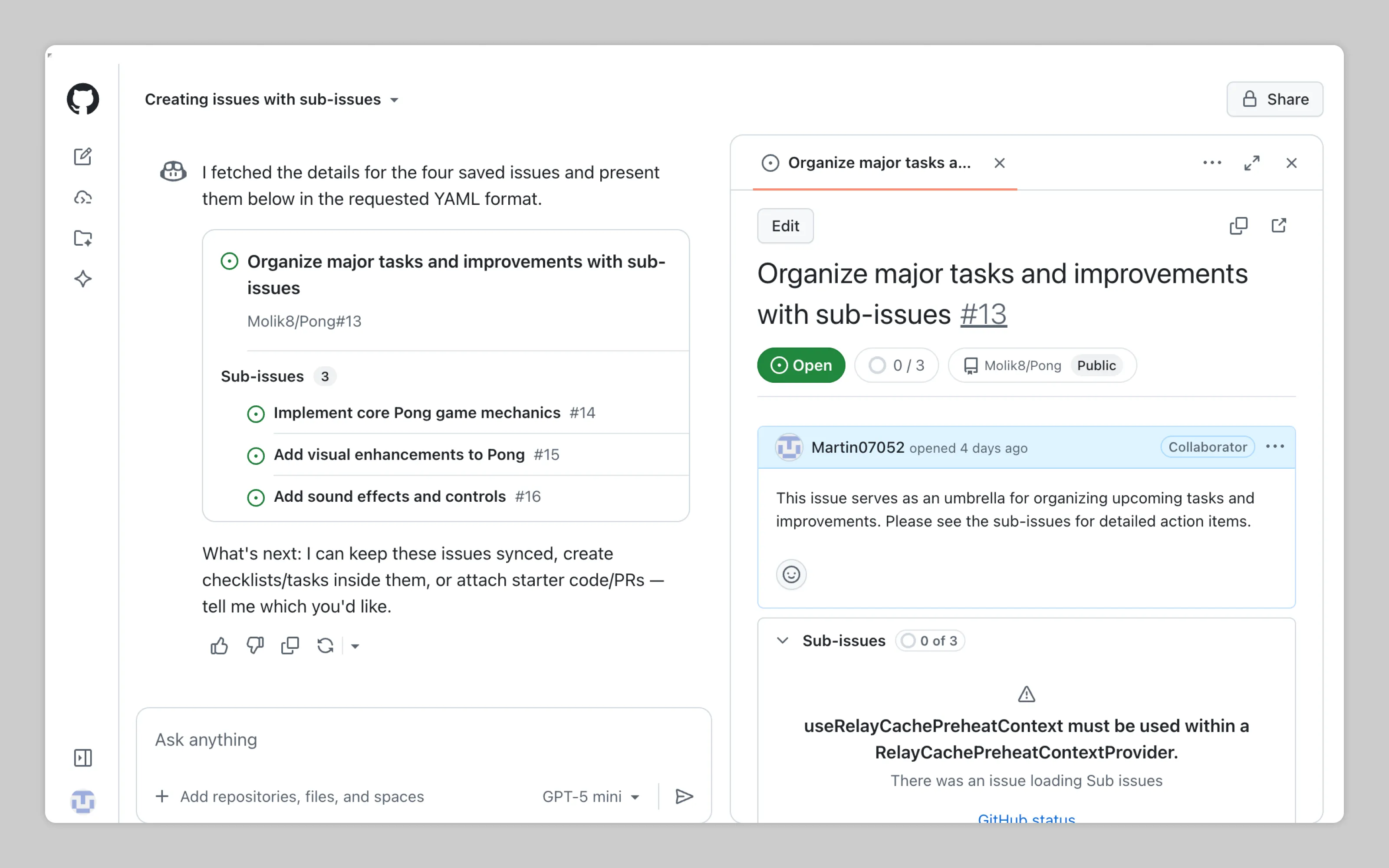
GitHub Copilot is a center-stage example. With the full screen available, it can accomodate a workbench on the right that shows the artifact it’s working on. Read more in chat workflows
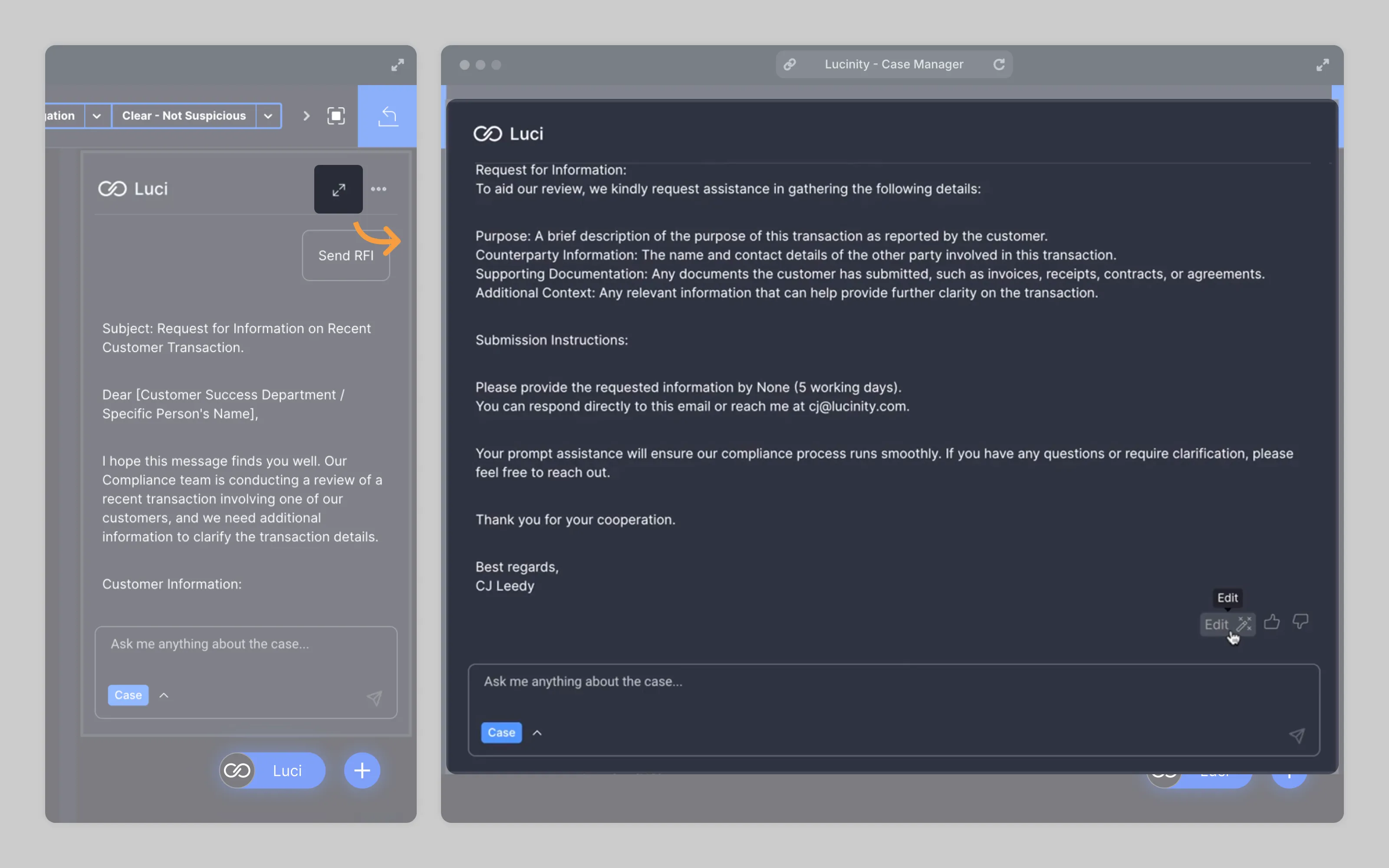
Center stage is usually triggered the same way as an overlay. In some products, an overlay panel can also expand into center stage, like in Lucinity.
Or email us at hello@studiolaminar.com