
Identifiers
Icons, colors, and labels to help users quickly spot AI features or content
Key characteristics
Makes AI functionality and AI-generated content instantly recognizable
Builds trust through transparency about what is AI-powered
Sets expectations: “I know it’s AI, so I’ll wait a couple of seconds for a response.”
About
Identifiers helps spot AI functionality through visual elements like icons, names, and labels. Effective identifiers follow both global conventions and maintain consistency within their specific tool.
These markers do double duty: they flag both AI inputs and outputs. In high-responsibility tools, clearly labeling AI-generated content becomes critical for helping users evaluate information appropriately. To read more, see Disclosure pattern
What denotes AI
1. Icons
Sparkles dominate as the universal AI indicator. Their small form factor lets designers combine them with conventional icons to create AI variants of familiar functions.
Robot icons appear less frequently, typically reserved for AI agents. (For AI represented as characters, see "Avatars" below.)
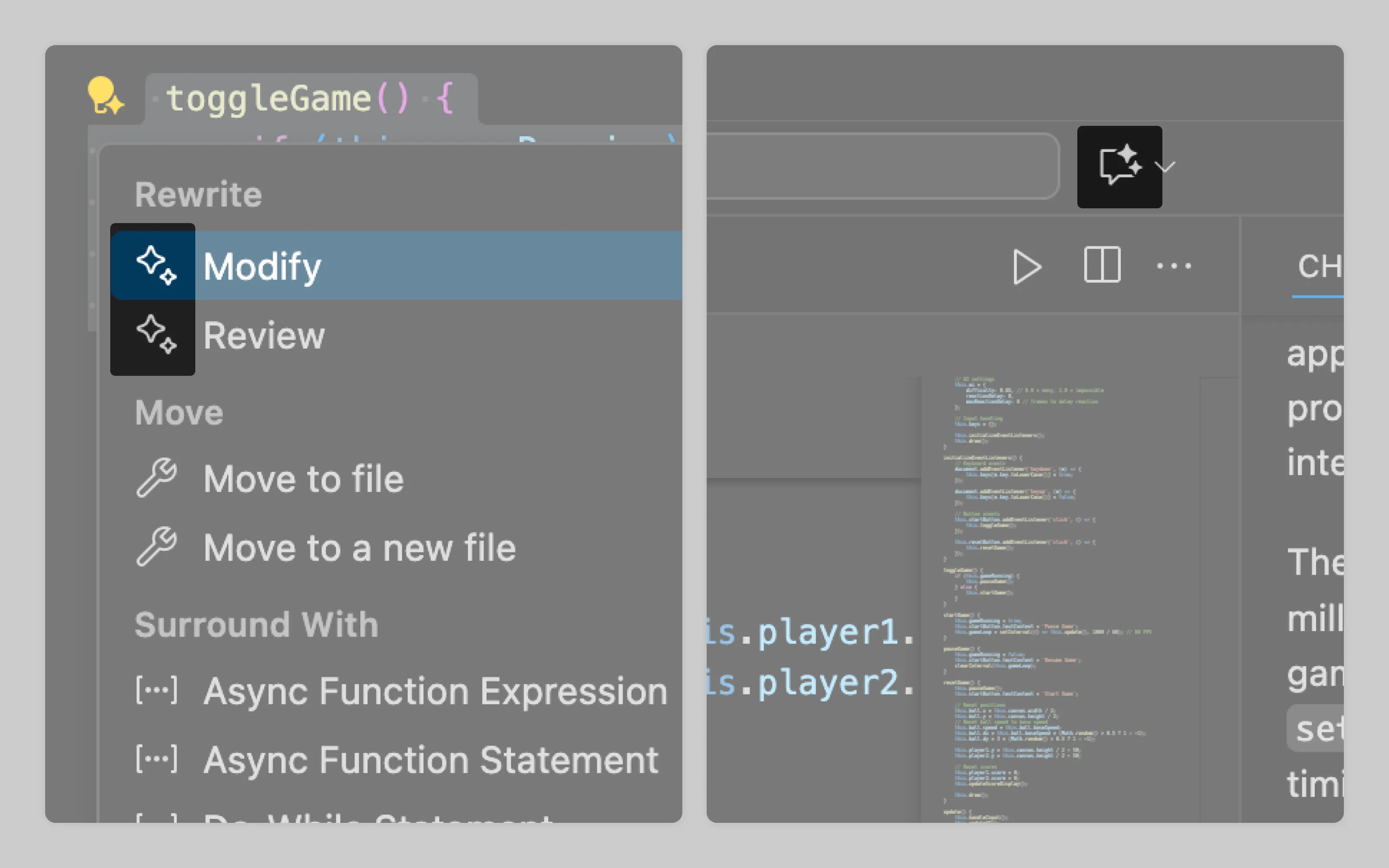
In VS Code, lone sparkles are used to signify AI functionality, while a button with a "sparkling" chat icon opens Copilot's side panel
2. Colors and gradients
Color is the strongest visual distinction. This prominence makes colors and gradients valuable when AI content needs clear separation, whether for marketing impact or compliance requirements. Purple and orange have been initially used as the conventional AI palette.
Most interfaces don't need dedicated AI colors, though. Standard icons and labels usually provide sufficient distinction.
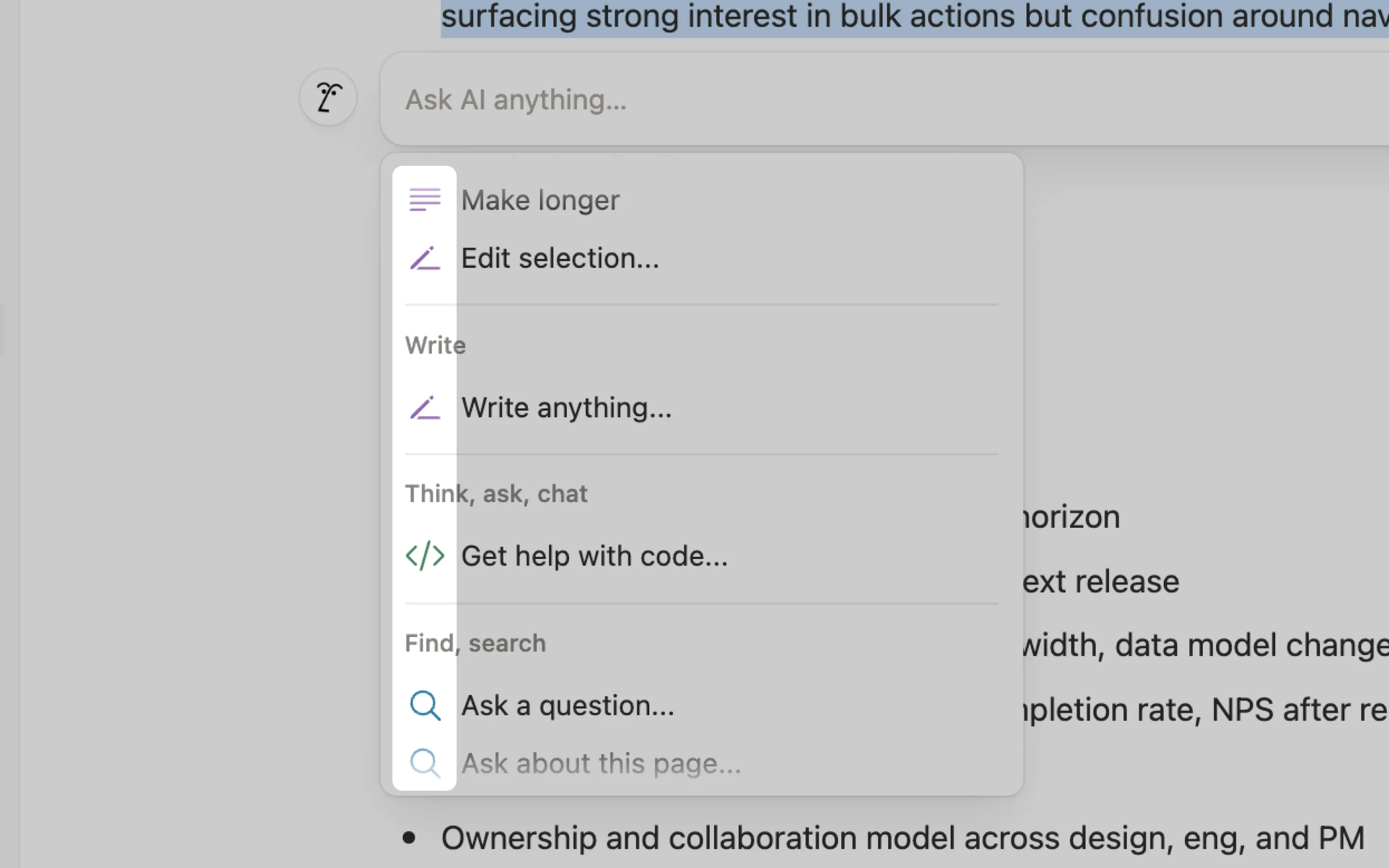
Notion's approach moved from purple-only AI indicators to a multi-color system where different hues designate different AI functions.
3. Labels
Labels simply state AI involvement through text like "AI," "Bot," or "Summarized with AI." They are the safest and most common identifier as users don't need to decode icons, recognize color patterns, or understand visual conventions.
4. Names and avatars
To add character, some AI assistants are given their own special names and avatars. This humanises them and, in theory, should encourage trust and adoption. Be careful with adding too much character though as it might set false expectations.
Product teams typically derive names from their company brand rather than creating distinct names. Notion AI follows this pattern but adds character through a customizable human-face avatar. Microsoft's Copilot on another hand uses both a memorable name and avatar.
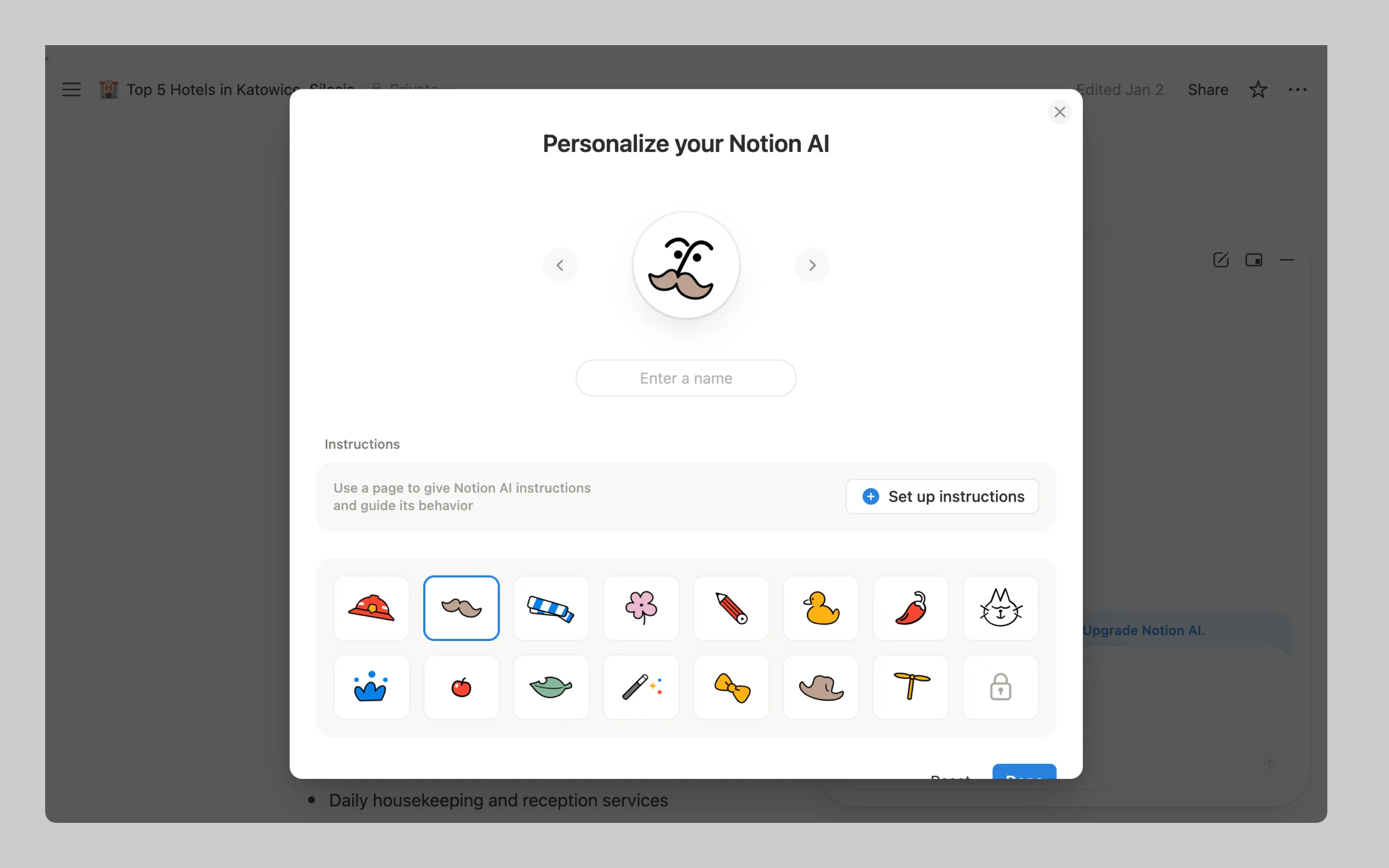
Notion allows users to personalize their AI assistant's appearance. While you can assign a custom name, the interface still refers to it as Notion AI.
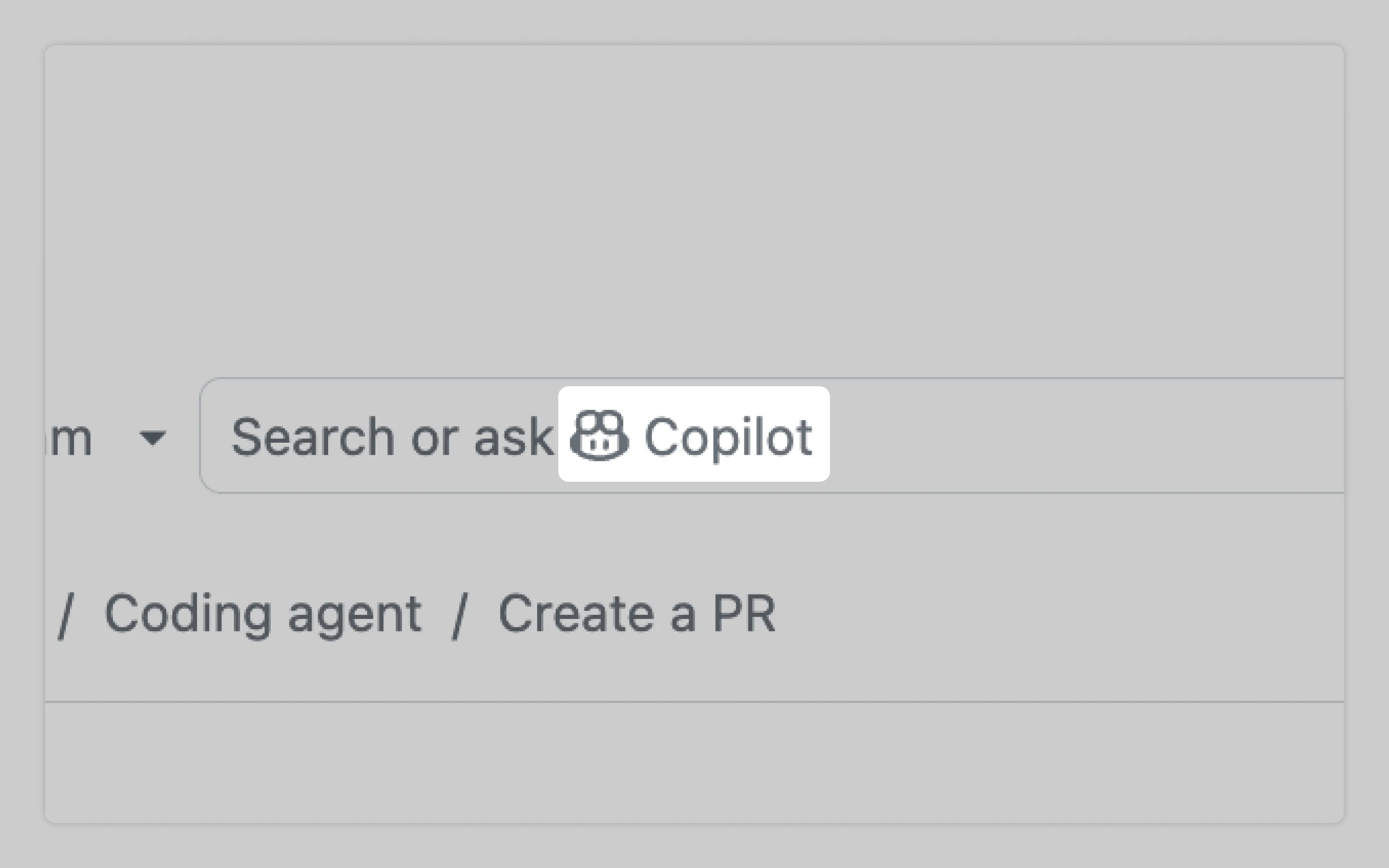
Microsoft gave Copilot a distinctive name and avatar, now visible across GitHub and multiple other platforms.
Or email us at hello@studiolaminar.com