
Review
Let AI review users’ work and propose improvements
Use cases
Scan a database for inconsistencies or missing data, saving time on manual checks
Check a legal document for missing clauses or unusual wording before sharing it externally
Optimise a cost sheet to lower overall cost or development time
About
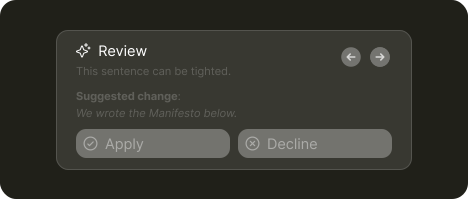
Review is essentially a batched form of modify. AI analyzes the user’s work and returns a set of suggested changes. Each suggestion can be reviewed, accepted, or rejected.
Review can also run in the background, monitoring ongoing work and preparing improvement suggestions in real time.
What's needed
Context pointing ➞
1. Let users choose what to review
While reviews typically cover the entire document, users may want feedback on specific sections. Respect selections like text highlights and limit the review to what they chose.
Quick Actions ➞ | Parameters ➞ | Open input ➞
2. Start with quick actions, expand input if necessary
Basic review actions don’t need extra input so a simple "Review" button is often enough.
Reviews might benefit from light customization though. A small set of options, like reviewing to lower costs or shorten investment time helps users steer the output without adding much friction.
For maximum flexibility, an open input can be provided so users can direct the review in any direction they want.
Labor transparency ➞
3. Show that AI is working
Reviewing takes time. Make it clear that AI is working. A subtle animation or progress indicator helps set expectations.
Presence ➞ | Output management ➞
4. Allow users to navigate and accept AI changes
When review ends, open a dedicated space for results. This can be an overlay or inline comments. If the product already supports comments, reuse that pattern to display:
The suggested change
A short reason for it
The affected part clearly marked
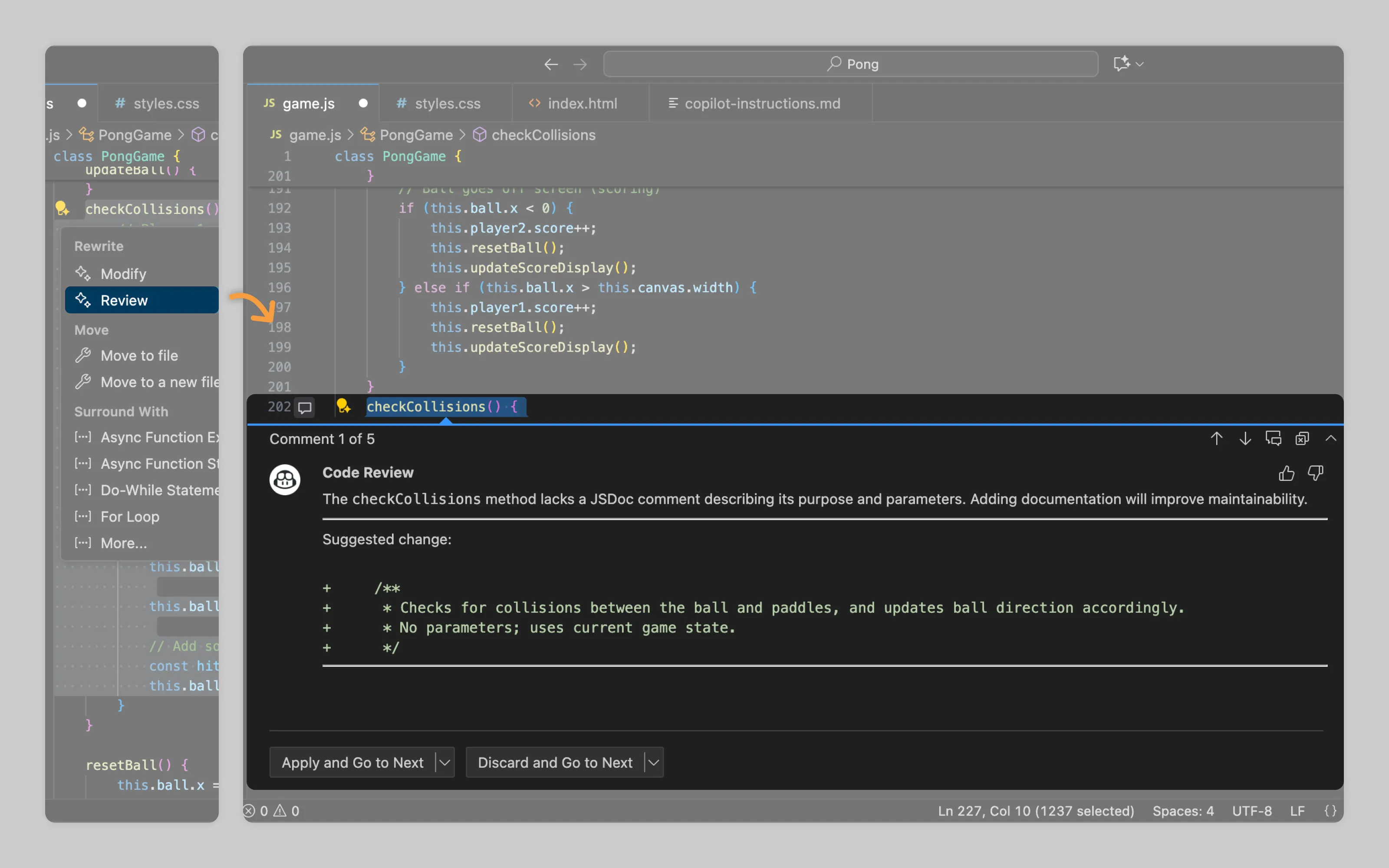
VSCode does this well. Each suggestion appears as a comment and can be accepted or discarded one by one.
Or email us at hello@studiolaminar.com