Delegate
Assign complex, multi-step tasks to AI and let it work autonomously
Use cases
Scan support inbox, cluster emails by issue type, draft replies, and queue sends for approval
Prepare an audit draft by pulling required logs and policy docs, generating the report, and pausing before export
Draft and prepare sales follow-ups from CRM notes, and schedule sends after approval
About
Agentic workflows let users delegate entire high-level tasks to AI instead of managing each step themselves.
For example, consider sending an email: the old way requires asking AI to draft text, then manually copying and sending it. With delegation, AI drafts the email, pulls recipients from the user's database, and sends from their account (with their approval). All while the user can focus on another task.
In essence, delegation asks AI to enter agentic mode to enable:
Breaking down complex assignments into actionable tasks
Connecting to external tools and databases to gather data
Executing tasks autonomously, pausing only for necessary authorization
Important to remember is that agentic workflows are not magic. Users shouldn't assign a tangled, nuanced issue to AI and expect output on the level of mid or even junior coworkers. Humans are still better at nuance, context, and judgment calls, while AI excels at complex, yet predictable and repetitive issues.
What's needed
Presence ➞ | Chat workflow ➞ | Parameters ➞
1. Provide input channel
Delegated tasks are often too specific to be proposed as quick actions. That's why delegation input should be open and use one of three channels:
Dedicated agentic space
A separate interface reserved for delegations, often showing active tasks and progress. (See: Processing management below)
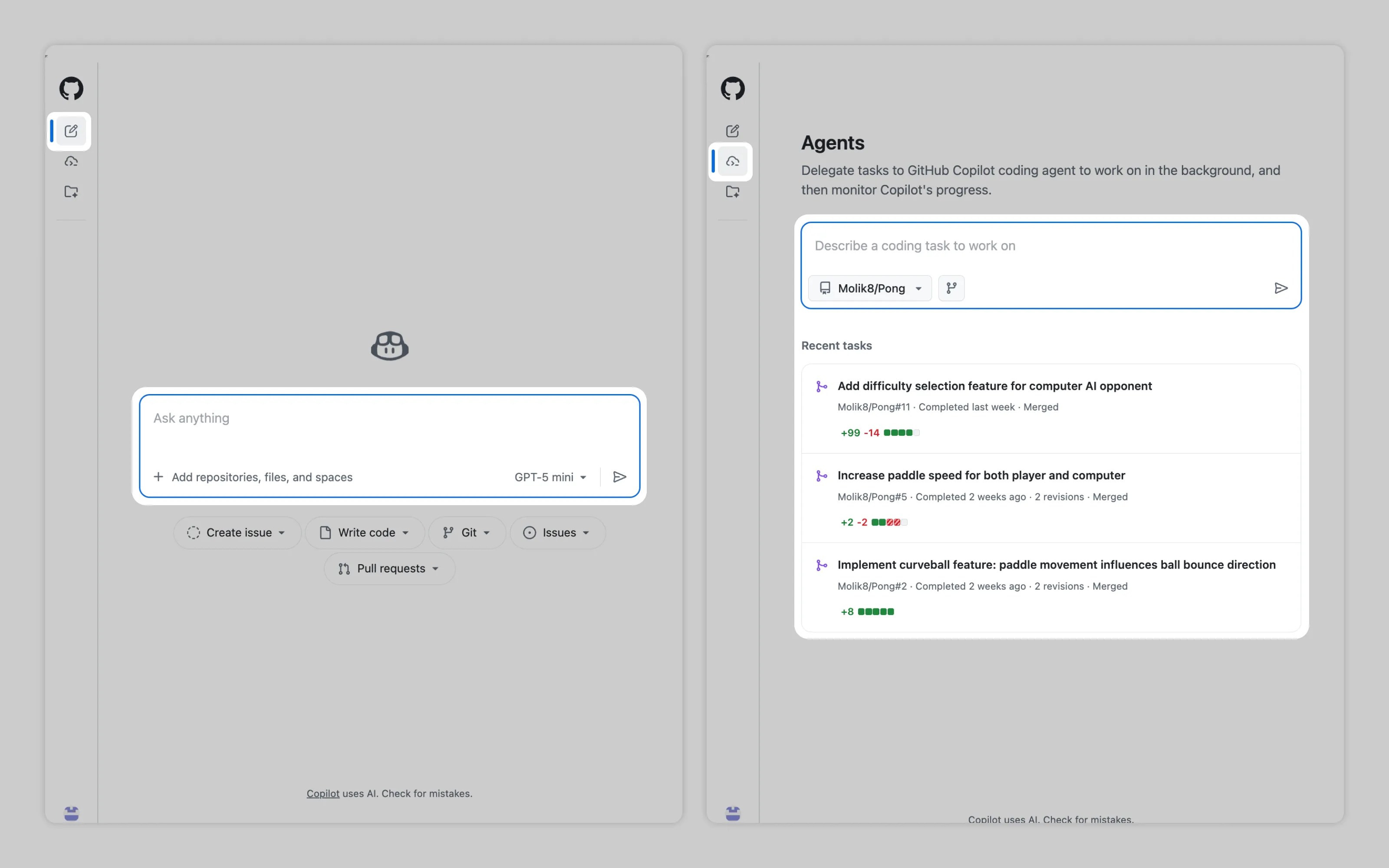
GitHub separates standard requests from agentic delegations in different spaces.
Unified channel with mode switching
All requests flow through one input. The system either lets users choose the agentic or "normal" mode or automatically detects when a request needs agentic capabilities.
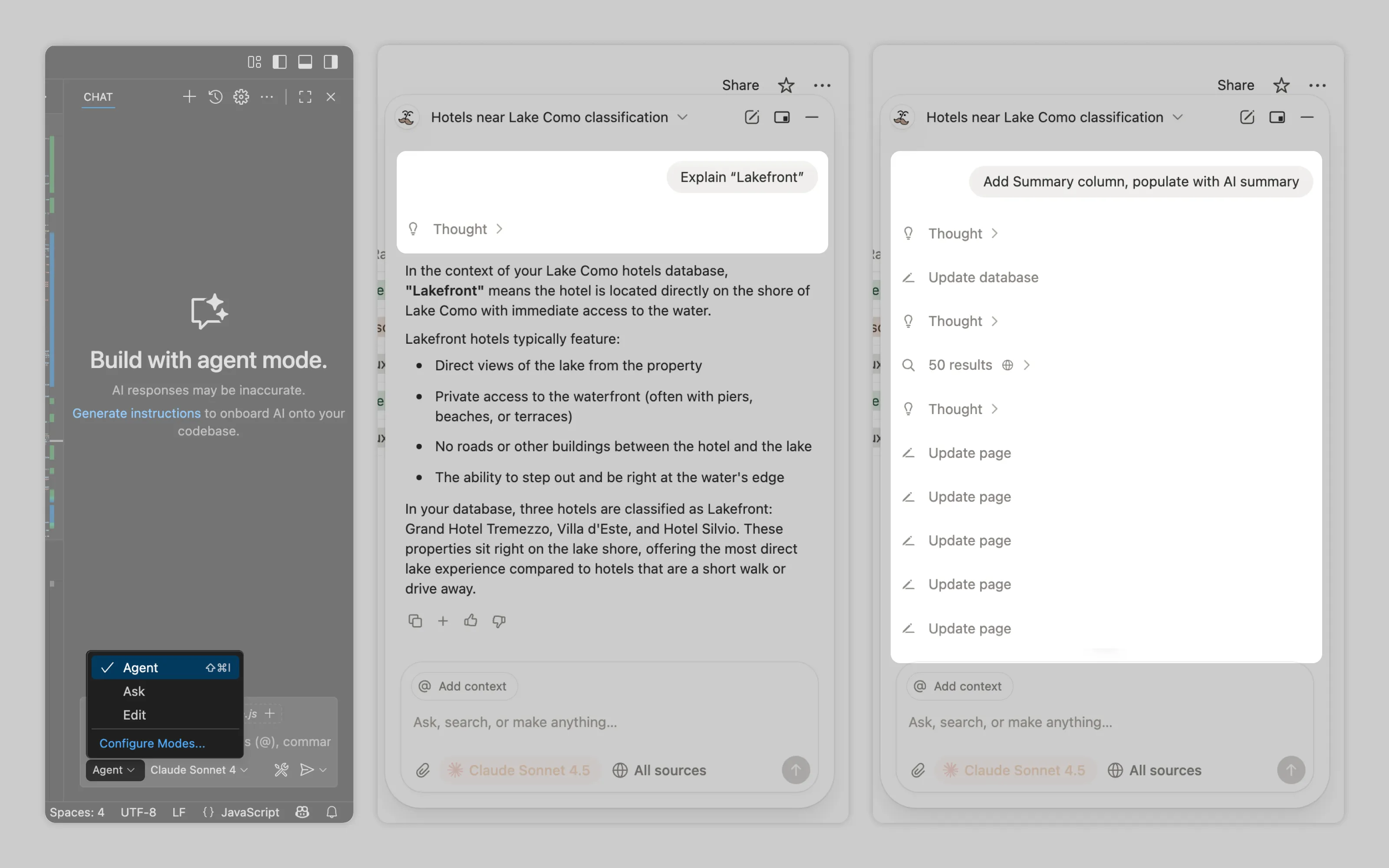
VS Code and Notion both use overlaid chat for all AI requests. VS Code provides manual "agent" vs "ask" toggle. Notion automatically routes requests: simple queries get quick responses, complex ones trigger multi-step workflows
Native task management integration
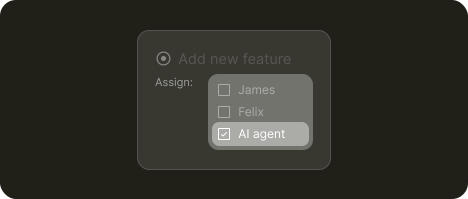
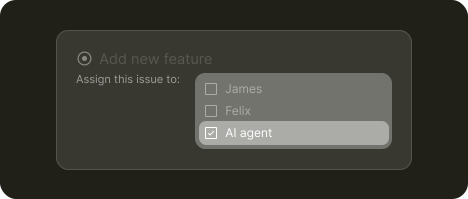
Users assign AI like they would assign a colleague. The ticket description becomes the input while the comments become the conversation thread.
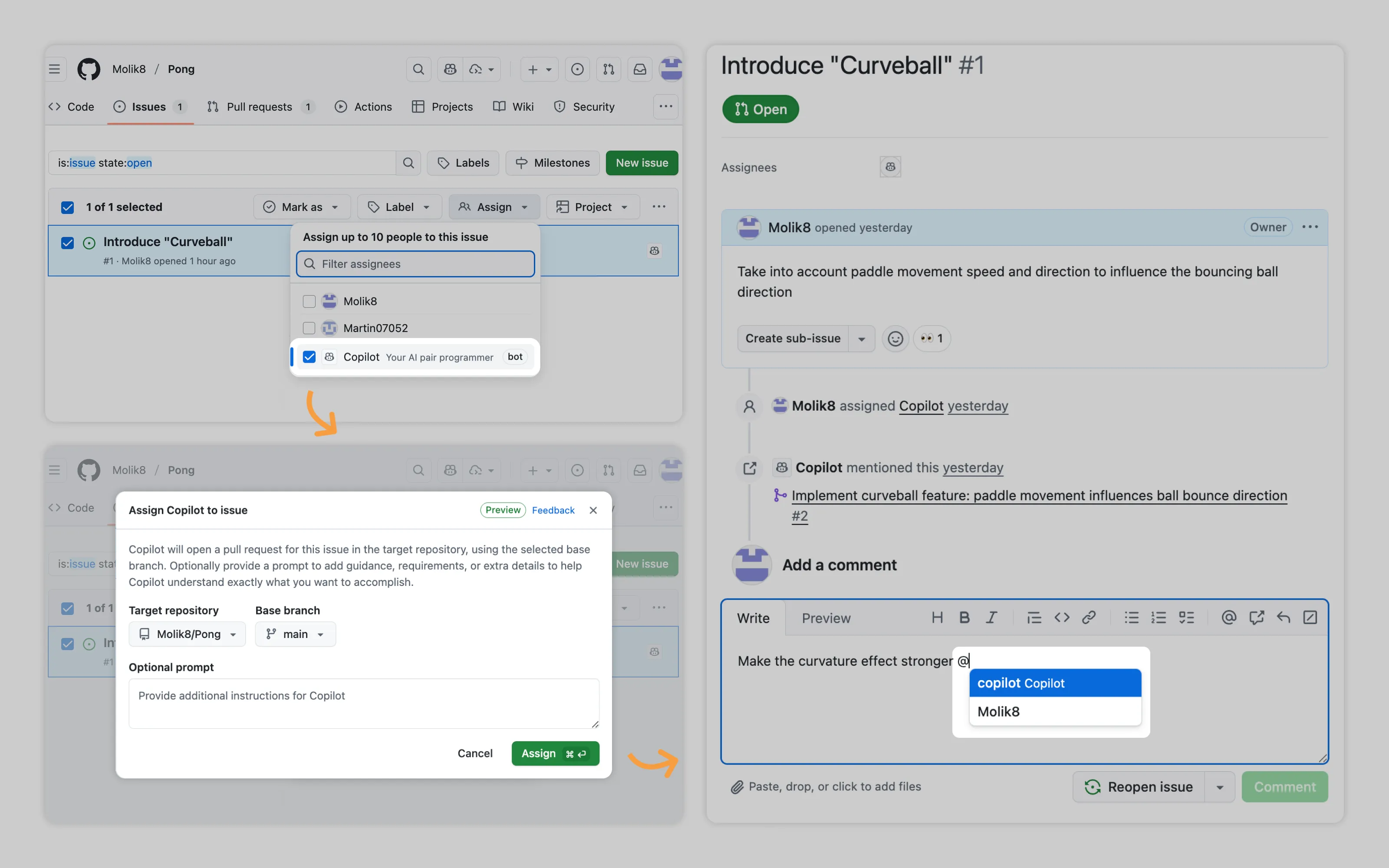
GitHub lets users assign AI agents directly in the task manager.
Human decision gates ➞ | Usage management ➞
2. Enable both AI and users to pause the workflow
AI must stop for permission before accessing sensitive files or executing protected commands. To reduce unwanted usage AI can also pause after extensive processing time to confirm users want to continue AI's workflow
Additionally, as with every long process, users should be able to stop the workflow. Ideally, pausing should also be allowed so the workflow can be resumed.
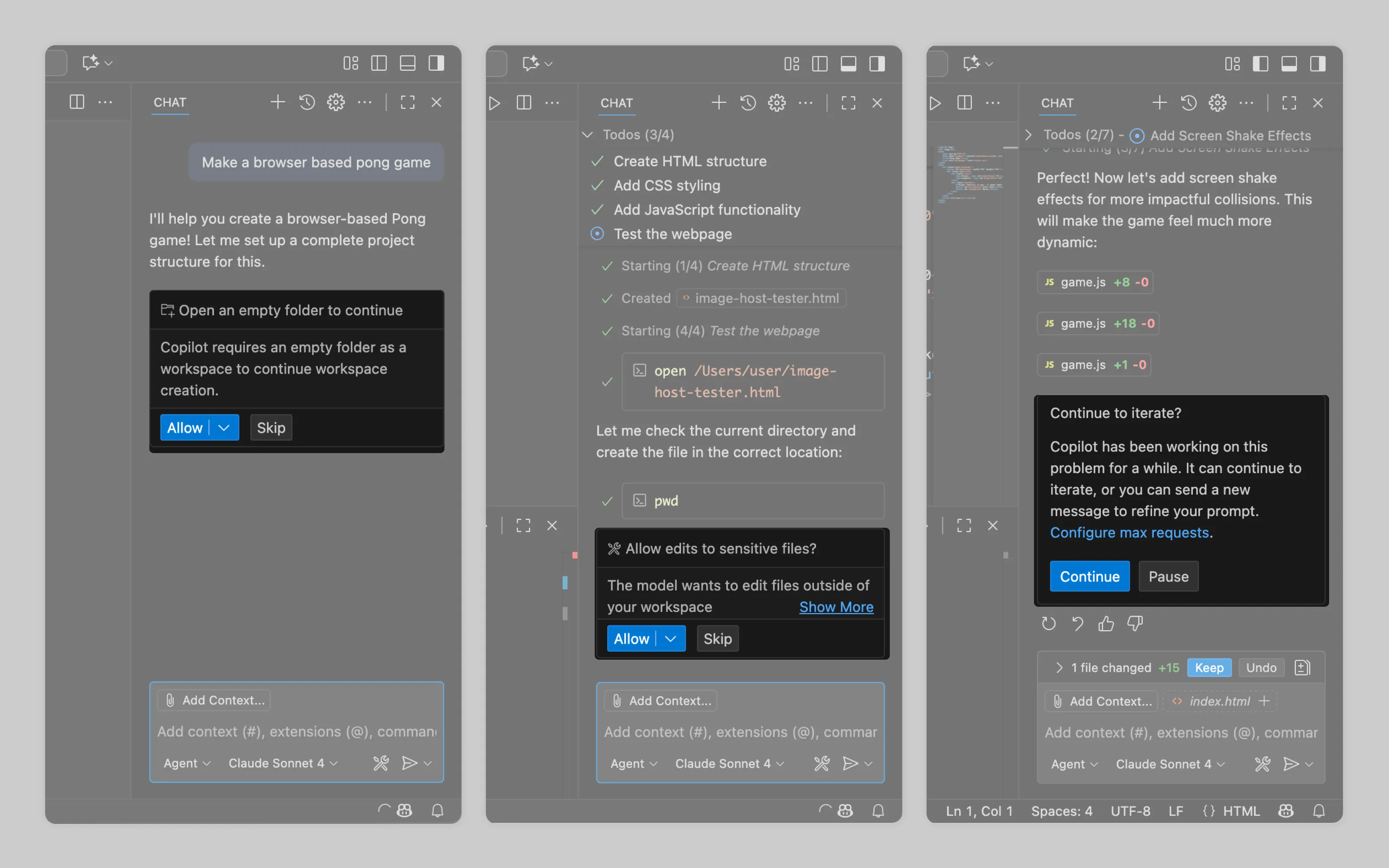
VS Code Copilot regularly prompts users to approve restricted actions.
Labor transparency ➞
3. Inform what AI is doing and what it's changing
Users won't let AI modify their work blind. At minimum, show AI's reasoning stream in real time during execution. After completion, list every modified file or element.
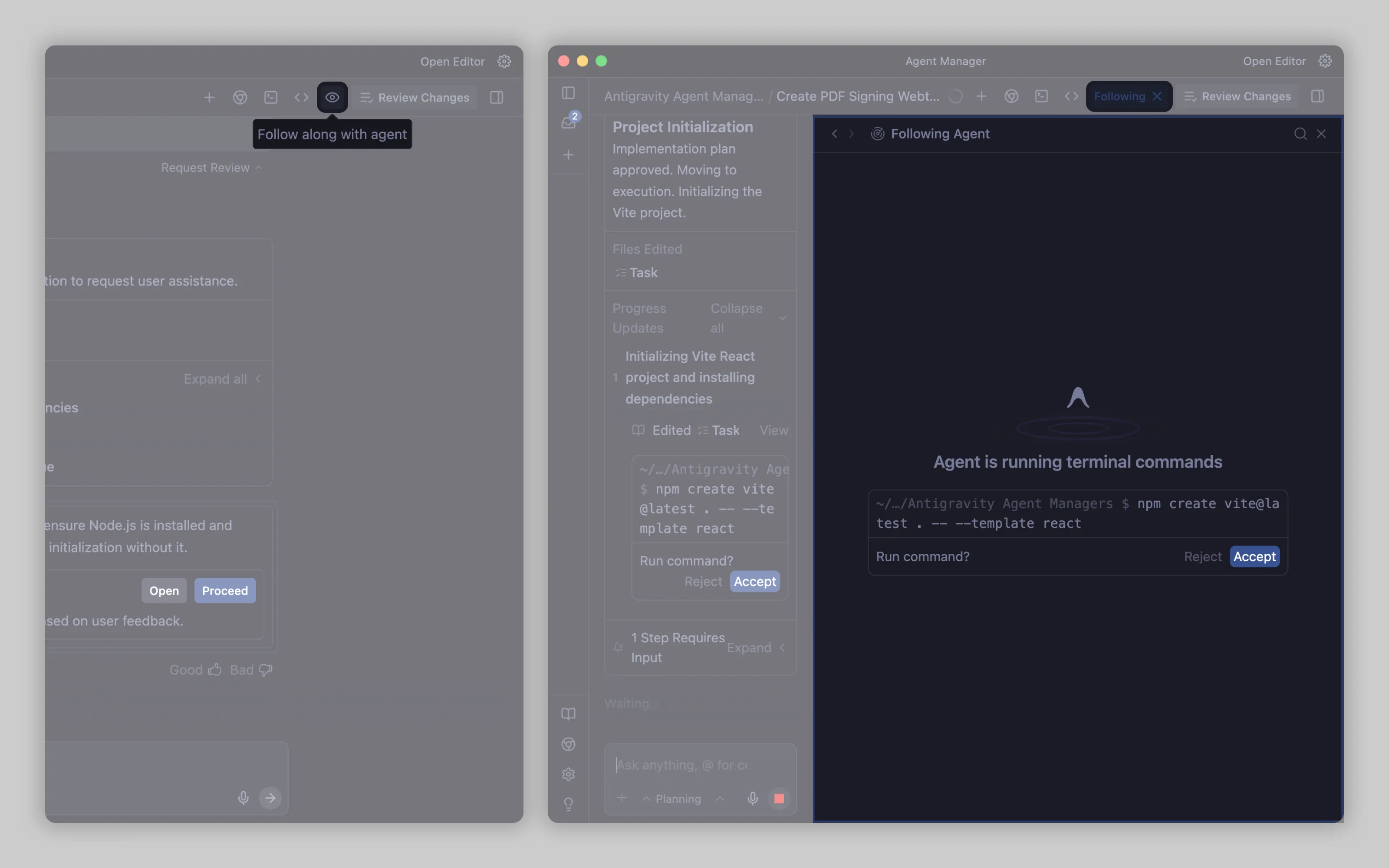
Antigravity's "Follow along" feature displays exactly where AI is working in documents and what actions it's taking.
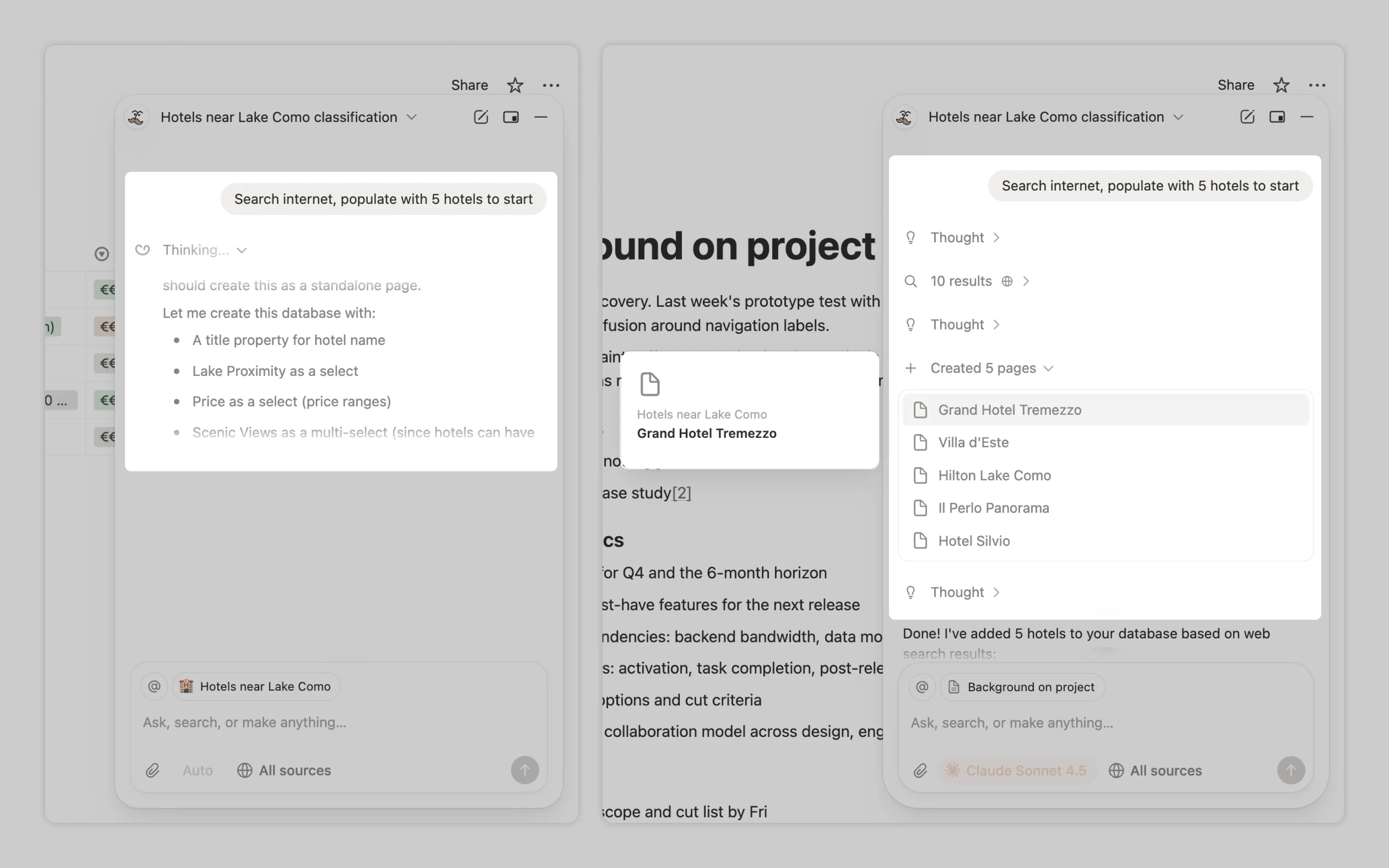
Notion AI embeds file change logs directly in its reasoning stream, showing which files were created or modified alongside the thought process and data pulls.
Output management ➞
4. Enable users to revert changes
Beyond seeing what AI did through labor transparency, users need control over those changes.
Most implementations offer bulk revert: undo everything AI changed in one action. Some tools provide granular control where users can review each change individually, accepting or rejecting one by one. This approach requires robust before/after UI infrastructure, so it appears mainly in coding environments where diff views are already standard.
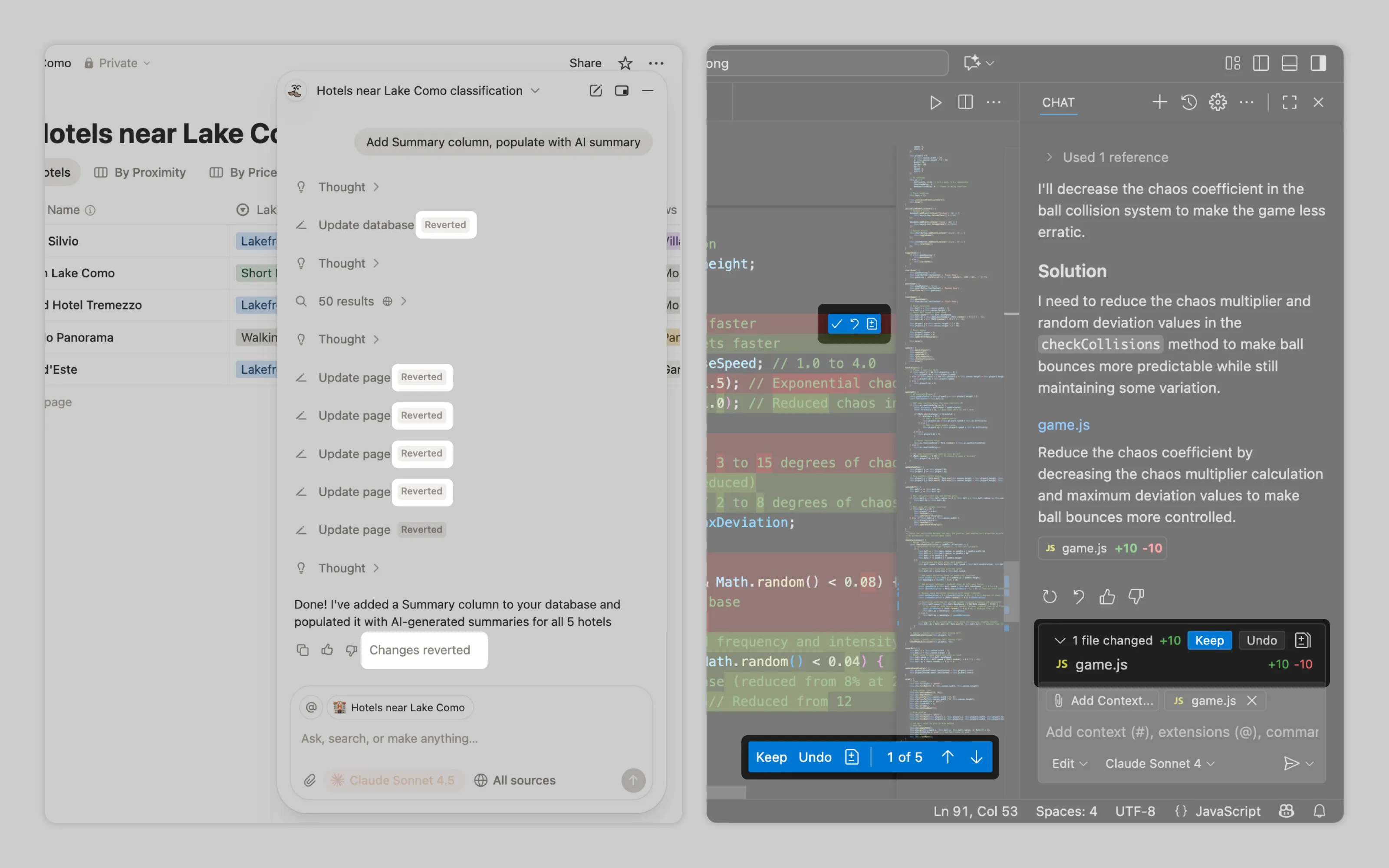
Notion provides bulk revert for entire workflows while VSCode offers individual review for every change with accept/reject controls.
Processing management ➞
5. Allow to run and manage multiple tasks
Users delegate tasks specifically to free themselves for other work. A "mission control" interface lets them monitor and manage concurrent AI workflows without constant attention.
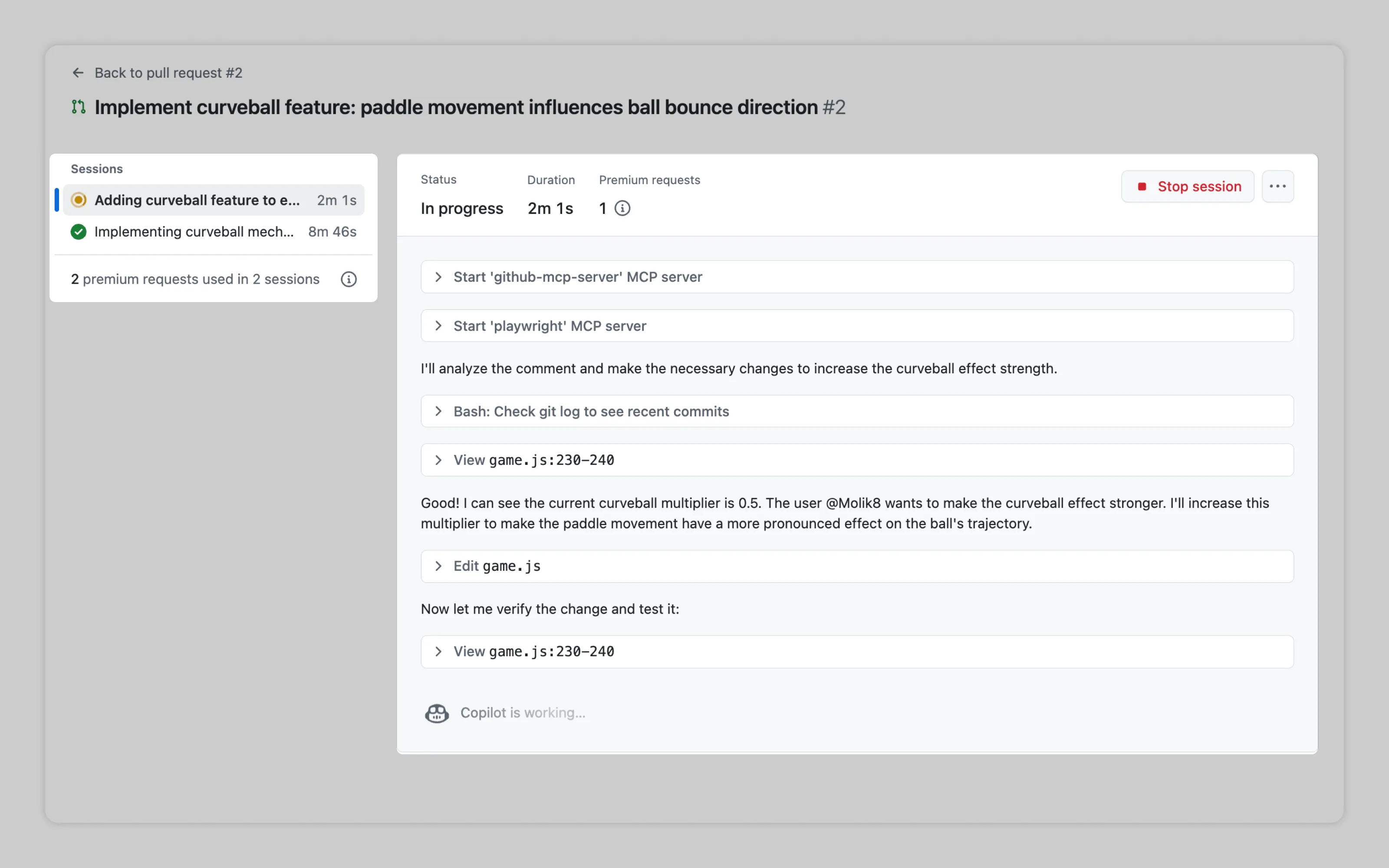
GitHub's mission control panel displays all AI workflows with drill-down into each step AI takes on delegated tasks.

Antigravity extends agent management space with an inbox that combines task status, AI activity logs, and queued permission requests users can quickly approve.
Usage management ➞
6. Allow to manage AI usage
Complex delegations consume far more tokens than single queries. For subscription tiers based on token limits or team plans, users need usage tracking and budgeting options to prevent overruns.
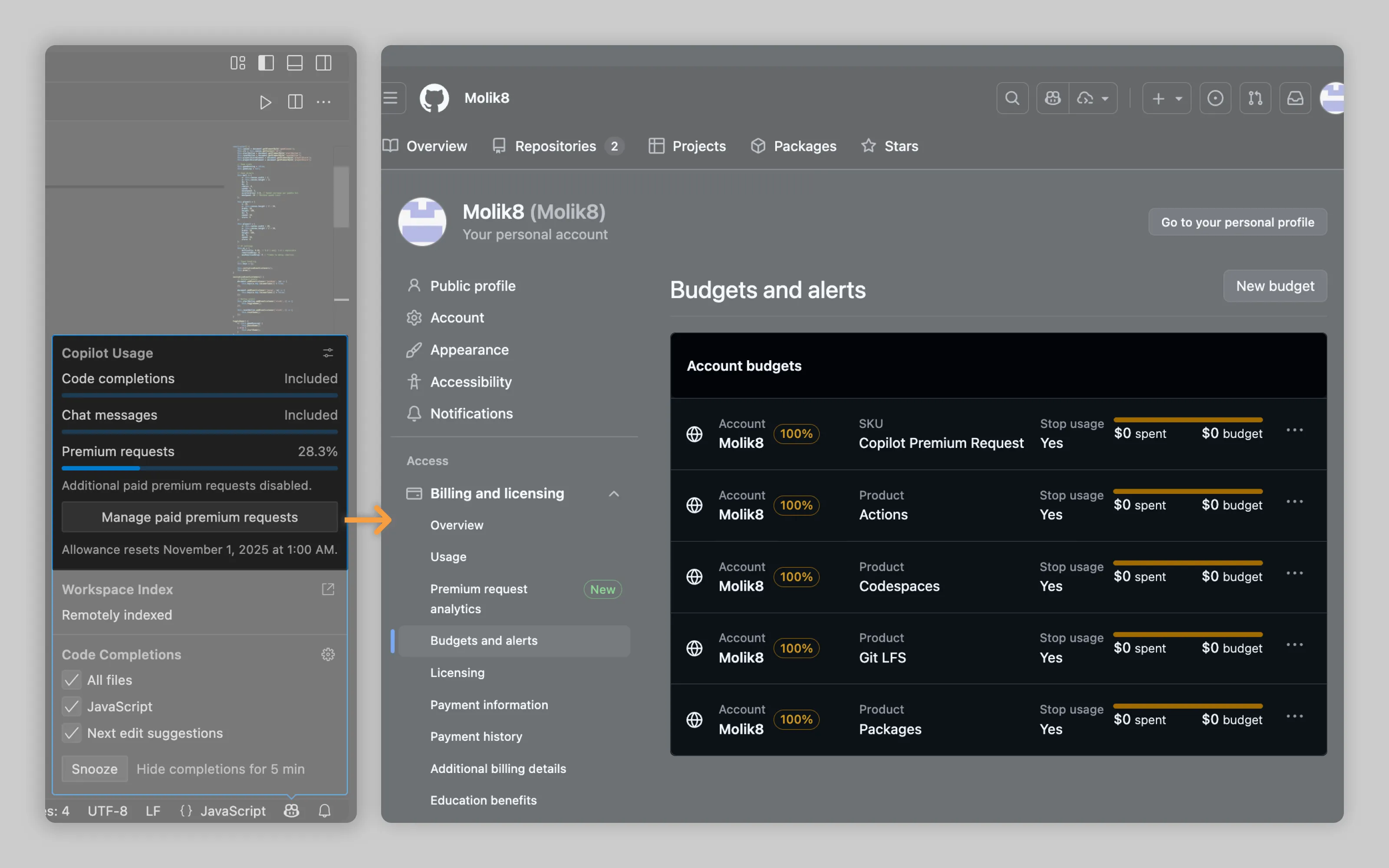
VS Code shows Copilot usage in a simple panel and links straight to GitHub’s billing settings, where users can set budgets per account and per request type.
Or email us at hello@studiolaminar.com